


 Back
Back 

As your business grows, manual payment processes hinder efficiency. When workflows lag, it’s not just productivity that suffers—it’s cash flow, VAT compliance, and supplier trust.
Payment automation solves the problems that outdated operations create, streamlining workflows and ensuring your transactions are timely, accurate, and secure.
In this guide, you’ll learn what payment automation is and how it reduces accounts payable workload, reduces errors, and speeds up approvals. We’ll also walk you through implementing payment automation to enhance supplier management and comply with HM Revenue & Customs (HMRC) rules.
Key Takeaways
- Payment automation improves accounts payable (AP) efficiency while reducing the cost of manual invoice processing.
- By automating payments, UK businesses can cut processing time, capture early payment discounts, boost fraud protection, and improve cash flow visibility.
- Getting started with payment automation means assessing workflows, choosing the right solution, and training teams for lasting success.
- AP software, such as Tipalti, offers seamless integration with existing ERP systems, streamlining accounting processes and enhancing HMRC compliance.
What Is Payment Automation?
Payment automation is the strategic use of technology to manage the payment process and improve accounts payable (AP) efficiency.
Payment automation solutions use artificial intelligence (AI), optical character recognition (OCR), and rule-based automation to streamline financial transactions, from capturing invoice data to finalising payment.
Automating repetitive tasks frees AP teams from time-consuming manual work, such as data entry and chasing approvals.
The benefit is more time to focus on higher-value activities—all while ensuring that accurate financial data flows through your system for faster payments, better cash flow management, and ongoing Making Tax Digital (MTD) compliance.
How Does Payment Automation Work?
Payment automation simplifies key steps in your payment lifecycle, so AP processes operate with minimal human intervention.
In doing so, it replaces workflow inefficiencies that delay payments and contribute to inaccurate records.

Here’s a breakdown of how payment automation works across four main stages.
1) Capture and Validate Invoices Automatically
Payment automation starts as soon as an invoice enters your system.
Automation software (such as the Tipalti platform) uses AI-powered OCR to automatically capture invoice data from e-invoices, PDFs, or paper-based invoices.
AI validates data such as supplier business information, VAT, purchase order (PO) numbers, and pricing totals.
Invoices are automatically matched against purchase orders or goods receipts. The system flags errors or duplicates for review without the need for manual spreadsheet checks.
2) Streamline Approvals With Smart Workflows
Once validated, the invoice automatically routes through a rule-based approval process.
You set rules based on your finance policies, and the automation software applies them. For example: “Purchase invoices over £5,000 go to the finance manager.”
Approvers receive an automated notification to review and approve the invoice. They are also sent approval reminders to prevent delays or missed payment deadlines.
The system logs communication and approval actions for better tax compliance and audit tracking.
3) Automate Payments With Precision
After approval, automation software schedules and processes payments.
It chooses the right payment method and currency based on the supplier’s preferences and timing.
Payment transfers securely and instantly, with autogenerated confirmation receipts.
4) Reconcile and Track Cash Flow in Real Time
Upon successful payment, automation software syncs details into your enterprise resource planning (ERP) software or accounting system. Transactions are automatically matched with invoices.
Reporting dashboards show real-time cash flow and payment status, and records stay up to date for accurate quarterly HMRC VAT returns.
By removing manual steps, invoice processing follows a repeatable framework. Automation software uses machine learning (a subset of AI) to learn from past transactions, behaviours, and corrections to continually increase accuracy, efficiency, and productivity.
Here’s how payment automation compares to a typical manual process:
| Step | Manual Process | Payment Automation Process |
|---|---|---|
| Invoice capture | Invoices arrive by email or post. AP employees manually enter data into spreadsheets or accounting software. Human errors, duplicates, and missing info are common. | AI captures invoice data automatically from emails or uploads. It extracts and validates details, and instantly flags duplicates. No typing required. |
| Invoice approval | Invoices are sent by email or physically passed around for approval. Delays happen when approvals are stuck in inboxes or on desks. No central record of approvals. | The system applies approval rules, notifies and reminds approvers, and lets them sign off instantly. Actions are logged for audit trails. |
| Invoice payment | AP teams: • Prepare manual payment runs. • Double-check bank account details. • Process transactions individually. Processes increase the chances of errors and late payments. | Automation schedules and processes business payments based on: • Approval status. • Vendor preferences. Due dates. Suppliers get accurate, on-time payments every time. |
| Payment reconciliation and reporting | Payments are manually matched with invoices. Month-end close involves chasing paperwork and spreadsheets. Reporting is slow and unreliable. | Automation software matches transactions in real time. Dashboards show payment status and cash flow instantly, with clear audit trails. No manual reconciliation required. |
With automation, each step becomes faster, more reliable, and fully traceable, freeing the AP department from time-draining spreadsheets and emails.
The Benefits of Payment Automation for UK Businesses
Payment automation eases the administrative burden on UK finance teams.
With less time spent chasing invoices and manually processing payments, your payables workflow becomes more efficient. This streamlined approach yields happier staff and suppliers, as well as a clearer understanding of your finances.
Let’s take a look at some of the key benefits of implementing payment automation in the UK.
Save Time and Money on Invoice Processing
By accelerating the payables process cycle, payment automation solves one of the biggest challenges of manual workflows: the time and cost of invoice management.
52% of finance teams spend over 10 hours a week processing and administering payments, according to research by the UK-based Institute of Financial Operations & Leadership (IFOL).
Lengthy business processes are mostly caused by:
- Manual data entry.
- Invoice exceptions.
- Data errors.
- Too many paper documents.
These inefficiencies cost you money in labour and resources.
It’s little wonder, then, that IFOL’s study shows the top reason businesses install automation is to speed up the payable process.
By increasing efficiency, automation software decreases costs associated with manual data entry, error correction, and financial delays.
Over time, these cost savings can increase your working capital and support investment in other parts of your business.
Improve Cash Flow With Smarter Payment Timing
Cutting labour and resource costs isn’t the only way payment automation saves money—efficiency helps you capitalise on incentives and avoid late payment penalties.
Prompt payments create supply chain stability and help tackle late payments—an issue that costs the UK economy almost £11 billion per year and closes down 38 businesses every day, according to UK government research.
Here are two ways automation supports invoice management:
| Strategy | How Payment Automation Helps | The Benefit |
|---|---|---|
| Take advantage of early payment discounts | Automatically schedules and processes payments within common UK supplier discount windows, such as: • 2/10 EOM (end of month). • 3/10 net 30. | Faster processing lowers payment costs and ensures you never miss out on savings. |
| Adhere to HMRC invoice payment regulations | Ensures invoices are paid within legal timeframes: • 30 days for public authorities. • 60 days for business transactions (B2B payments). | Avoids late payment interest and penalties, protects compliance, and maintains a strong business reputation. |
Simply put, paying invoices early is good for business. It saves money and your supplier relationships.
Paying early gives companies much-needed capital to manage their business and supply, making you a reliable and favourable candidate to work with.
Paying late, on the other hand, means losing trust and damaging long-term partnerships.
Protect Your Business Against Invoice Fraud
Payment automation software offers robust protection against fraud with multiple control, visibility, and security measures.
Invoice payment fraud is one of the most common types of fraud in the UK, costing businesses nearly £1.2 billion in losses, UK Finance research shows.
Without automated checks or data tracking, manual processes are more prone to errors and fake invoices that put your business at risk.
For example, a fraud detection feature like Tipalti Detect automatically monitors payee details and payments, flagging suspicious activity and creating audit-ready cases to prevent vendor fraud.

This way, if a payee is associated with blocked accounts or shares payment details with an existing supplier, AP teams can stop payments before they go through.
It makes fraud protection proactive rather than reactive, preventing time-consuming investigations, reputational damage, and potential data security lawsuits.
Scale AP Productivity Without Extra Headcount
Payment automation empowers your AP team to handle greater volume and complexity without expanding your workforce.
As your business grows and invoice volume increases, manual accounts payable processes quickly become unmanageable. The only way to boost productivity manually is to hire and train new staff—an approach that’s both costly and unsustainable.
Total first-year employment costs often exceed the base salary by more than 50%, according to British Business Bank estimates.
With payment automation in place to take care of your time-consuming processes, additional hires won’t be a requirement.
The result? More scope for strategic team tasks such as strengthening vendor relationships and optimising cash flow.
For example, rather than spending hours chasing invoice approvals, your AP team can analyse supplier payment trends to negotiate better terms, such as extended credit or early payment discounts.
Spending more time on these high-value activities in turn ensures a healthier long-term supply chain.
Get a Clear View of Your Money
Scattered payment data makes it difficult to see pending invoices and track where your money is going. Payment automation solves this by bringing finances under one roof.
By integrating payment AP automation software with your ERP system and communication tools (e.g., Slack), you get end-to-end visibility over your payables workflow.
Syncing real-time data into your ERP makes forecasting more reliable, giving you accurate information for smart decision-making.
It also keeps you compliant with HMRC rules around record keeping for VAT purposes and Reporting Rules for Digital Platforms (RRDP).
RRDP is the UK’s version of the EU’s Directive on Administrative Cooperation 7 (DAC7). It requires digital platforms (e.g., marketplaces) to collect, verify, and report information about sellers.
Keeping supplier data and VAT documents complete and up to date ensures reliable data for tax returns and audit-ready books in the event of HMRC inspection.
Could Payment Automation Become Your Competitive Advantage?
Learn how modern finance teams are surviving and thriving with Tipalti Accounts Payable automation—and how you can do the same.
How to Get Started With Payment Automation
Transitioning from manual processes to payment automation enables you to manage vendor payments with speed and precision.
However, making the switch isn’t as simple as picking any automation software and putting it to work.
To get automation right, you need to understand your current operations, choose a tool to meet your needs, and set it up to optimise your AP workflow.
Here’s a simple roadmap to guide you through each step.
1) Assess Your Current Payment Process to Understand Your Needs
The goal of understanding your current payment workflow is to identify where automation is needed.
Map out your end-to-end payment process, from invoice receipt to reconciliation. Look at:
- Who works on each invoice as it moves through the process (e.g., AP employee, department manager, and finance director).
- How long each step takes.
- Where approvals slow down.
This will help you identify repetitive, manual tasks that take up the most time, create delays, or contribute to duplicate payments.
For example, when assessing your workflow, you might discover that invoices exceeding £1,000 require three separate email approvals.
This causes invoices to be stuck in approver inboxes for days, causing payment delays and late payment fees.
By mapping this out, you can see a clear need to automate approval routing and remove bottlenecks.
As you detail your invoice journey, estimate how much time your team spends on invoice processing and what it’s costing your business.
This assessment will help highlight where automation delivers return on investment (ROI), making it easier to get buy-in from stakeholders and choose a tool that meets your needs.
2) Choose the Right Payment Automation Solution
Once you’re clear on your current processes and pain points, look for payment automation software that addresses your specific needs.
While some standalone tools and suites handle payment execution and expense reporting, focus your search on end-to-end AP automation software—such as Tipalti.
Why? Because platforms built for the full payment lifecycle manage your entire workflow. They ensure payment automation in one area isn’t undermined by manual inefficiencies elsewhere.
Here’s what to look for in a payment automation solution:
| Automation Solution Feature | Why It Matters |
|---|---|
| ERP/ accounting software integration | Seamless integration with ERPs (e.g., Oracle NetSuite, SAP, Microsoft Dynamics, Xero, or Intuit QuickBooks) lets invoice and payment data sync automatically, reducing manual entry while keeping your books up to date. |
| AI-Driven OCR invoice capture | Ensures accurate data capture that improves over time. AI also uses historical data to code invoices, detect anomalies, and spot duplications, reducing fraud risk. |
| Two-way and three-way matching | Uses AI to automate matching, ensuring that invoice purchase orders and goods receipts correspond to reduce payment errors and disputes. |
| Invoice approval workflows | Automates invoice approvals based on company rules and machine learning models, eliminating delays and providing a visible audit trail. |
| Making Tax Digital (MTD) compliance | Keeps your systems aligned with HMRC’s digital record-keeping and VAT submission rules, reducing compliance risk and simplifying tax returns. |
| Audit-ready transparency | Tracks invoice actions, including communication and timestamps, to help you meet HMRC regulatory requirements and reduce fraud risk. |
| Global payment support | Enables compliant, secure payments to international suppliers, handling multiple electronic payments such as BACS, global automated clearing house (ACH), and PayPal without extra manual work. |
| Real-time reporting and spend management dashboards | Provides up-to-date visibility into cash flow, outstanding payments, and financial performance for smarter decision-making. |
| Internal user experience and onboarding | A simple, intuitive interface ensures your team can get up to speed without confusion or errors. |
| Supplier onboarding | Streamlines vendor integration, validates their details, and ensures compliance. Vendors manage their own details, reducing AP data entry and setup time. |
| Fraud protection | Verifies supplier accounts, detects unusual payment patterns, and alerts AP teams to risks, preventing unauthorised or fraudulent transactions. |
| User support and training | Responsive support and resources help your team troubleshoot issues and maximize the platform’s potential. |
Read reviews and customer stories to help narrow your search. Additionally, take advantage of personalised demos.
Getting hands-on is the best way to see if an automation platform meets your needs.
3) Prepare Existing Data For Automation
To enjoy the full benefits of payment automation from the start, you need solid data and well-structured workflows.
Start by cleaning your existing data. Check that:
- Supplier records are accurate.
- Payment terms are consistent.
- Bank details are valid and verified.
Carrying out these checks now will prevent outdated supplier details or duplicate entries causing problems down the line.
Next, integrate your ERP and other tools with your tech stack to sync data and create a unified workflow.
The right automation solution will simplify this task with integration capabilities.
For example, you can find pre-built integrations and application programming interfaces (APIs) for popular ERPs, performance marketing platforms, Slack, SSOs, credit cards, and more.

These pre-programmed and tested integrations enable swift setup without coding or development.
4) Set Up Workflows to Streamline Approvals
Once you’ve prepared your system, build approval workflows to streamline your invoice processing.
Approval workflows instruct payment automation systems on how to route specific invoices.
For example, you can create predefined approval rules that send invoices to the correct approvers based on budget level, department, or location.
When analyzing an invoice, smart invoice management software applies these rules to determine the correct invoice destination and then automatically routes it.
Using machine learning, financial AI agents can also suggest where new invoices should go based on historical transactions. Here’s what that can look like:

In this way, you ensure a streamlined approval process for new suppliers or purchase types.
Here are some example approval workflows and when to use them:
| Approval Workflow Type | When to Use | Example |
|---|---|---|
| One-step approval | Small businesses or teams with simple invoices. | Invoices under £500 are auto-approved by the budget owner. Anything higher routes to the finance manager before scheduling payment. |
| Multi-level approval | Mid-sized or growing companies with many departments and high invoice volume. | • Department manager approves first. • Finance manager approves invoices over £5,000. • Chief financial officer (CFO) approves anything above £25,000. The system logs approvals in real-time for traceable audit trails. |
| Rule-based approval | Managing multiple entities, currencies, or cost centres. | Invoices route based on type (e.g., department or value). New suppliers or global payments trigger extra verification before approval. |
| Recurring payment approval | Managing regular subscriptions or service fees. | Recurring invoices under £500 are auto-approved. Those with cost increases over 10% trigger a manual review before payment. |
Check that key stakeholders are integrated into your system to receive approval and risk notifications.
Before going live, test your software with a sample payment cycle. Testing will help ensure that data flows smoothly and reports reconcile correctly in your ERP system.
5) Train Your Team on the Role of Automation in Accounts Payable
Include AP, finance, and procurement teams in payment automation deployment from the start.
Invite stakeholders to demos and run hands-on training sessions to show them which tasks automation handles and where they need to step in.
Payment automation isn’t designed to replace teams; it exists to help them work smarter. It’s important to clearly communicate the benefits and how roles will evolve to achieve full buy-in and build trust in your system.
As manual work decreases, teams can spend more time managing supplier relationships, monitoring spend data, and negotiating payment terms—all tasks that need human expertise.
Encourage feedback from everyone using your payment automation software early on. Their insights will help you identify what’s working and how to fine-tune invoice processing.
5) Onboard Your Vendors for Smooth Supplier Management
With everything set up, invite suppliers to join your platform. A smooth process is essential here to integrate suppliers quickly and avoid payment delays or errors.
Remember, payment automation might also be new to suppliers. Clear communication is vital to help them understand what’s required.
Send vendors onboarding email invitations that include:
- Details on the documents you need to validate.
- How the integration process works.
- How both parties will manage payments.
- Links to relevant onboarding training resources.
A supplier management hub as part of your payment automation system can streamline onboarding with a step-by-step approach and an intuitive portal that enables vendors to manage payments and communication effectively. Like this:

Here’s how effective supplier management typically works:
- Guided onboarding. Suppliers work through a secure, structured flow to enter their business, VAT, and payment information—ensuring every required field is accurate and complete.
- Automated HMRC compliance. The software directs suppliers to the correct tax forms, validates details, and syncs authentication with your ERP system.
- Continuous self-service. After onboarding, suppliers can manage information, submit invoices, monitor payment progress, and message your team in the Supplier Hub.
With clear communication and an easy-to-follow onboarding process, suppliers are more likely to engage in and trust payment automation from the start.
6) Track and Optimise Performance
Once your automation system is live, track performance to fine-tune it.
Monitor key performance indicators (KPIs) such as:
- Invoice approval times.
- Payment cycle length.
- Invoice exception rate.
These metrics will help you identify and resolve bottlenecks to increase efficiency.
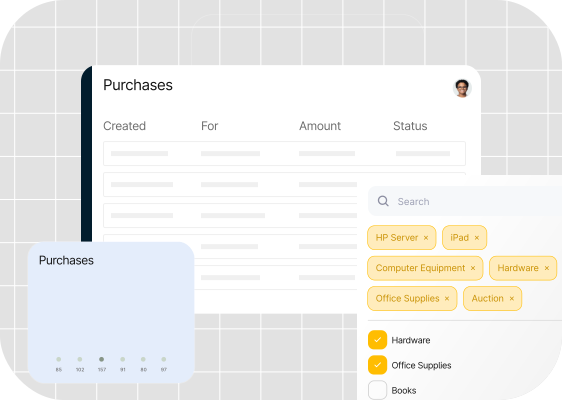
Use real-time spend analytics dashboards to help you check purchase and payment statuses and make quick, informed decisions.
For example, if specific departments (e.g., marketing or IT) take longer to approve invoices , analytics provides the insight to reroute or adjust invoice thresholds. This instant visibility prevents minor inefficiencies from becoming major issues.
Periodically review workflows as your business grows to ensure rules and stakeholders are relevant.
Continuous optimisation ensures payment automation gets smarter and more efficient over time.
Case Study: How Tipalti’s Payment Automation Software Helped Plentific Cut AP Workload by 90%
As real-time property solution Plentific expanded operations across multiple global markets, its finance team struggled to keep up with demand.
To streamline its processes, Plentific implemented Tipalti’s cloud-based AP automation solution.
The results have been transformative, including a 90% reduction in manual workload, which saves 108 days a year on invoice processing.
Plentific’s story is a key example of how payment automation simplifies cross-border payments and supports business growth.
Future-Proof Accounts Payable with Payment Automation
Payment automation transforms how your finance team operates. Moving away from manual processes helps you cut costs, eliminate repetitive admin, and save hours on invoice processing.
Automation success relies on the right solution and buy-in from your key stakeholders. Reassess how your payments currently work, align your team on what automation can achieve, and implement software that helps you manage every stage.
The payoff is faster payments, fewer errors, and a financial set-up that scales with your business.
Ready to modernise your accounts payable workflow? Discover our free resource on AP automation to see how it makes your payment processes seamless—from supplier onboarding to invoice reconciliation.
