

 Back
Invoice Management and Bill Processing
Automate your entire invoice management process with comprehensive capabilities.





































Invoice Management Features
Manage All Your AP Processes in One Place
Take automation to new levels with advanced invoice management that eliminates manual stresses, increases accuracy, and accelerates processing. Here’s how.

Simplified Invoice Submissions
We make submitting bills simple and straightforward. Suppliers email invoices or upload them directly to a secure portal where progress is tracked. AP staff upload relevant documents, like contracts and receipts, which are attached to each invoice to help approvers make informed decisions.
Intelligent Data Capture
Say goodbye to manual data entry. Tipalti’s AI Smart Scan reads invoices and populates fields at the header and line-item levels. Unlike traditional OCR, it adapts to invoice variations, accurately extracting data from complex line items, table data, and various formats—minimising manual intervention and boosting productivity.

E-Invoicing Support
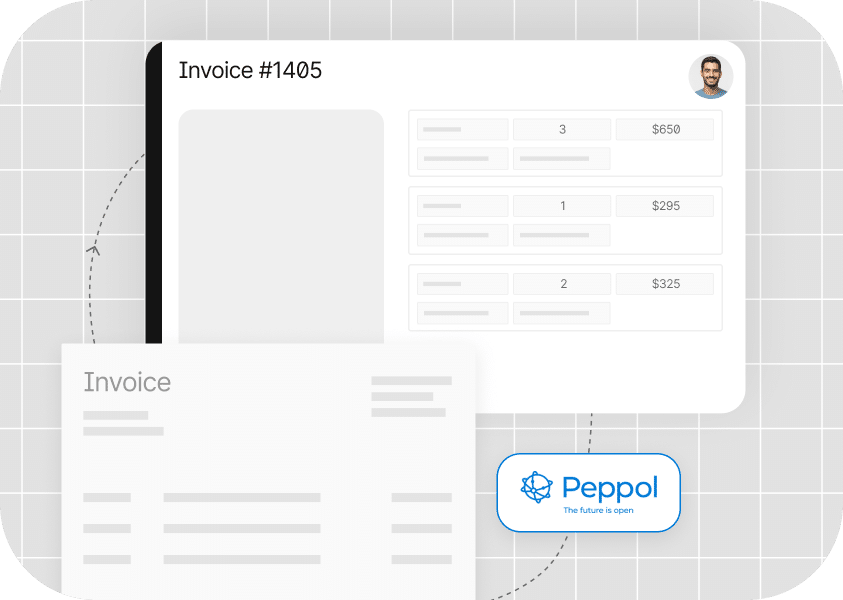
Stay compliant and effortlessly automate your invoicing process with Tipalti’s fully integrated e-invoicing solution. Connect to global e-invoicing networks like Peppol for smooth invoice exchange and compliance with local regulations in countries like Germany, Sweden, Norway, Denmark, and BeNeLux. You’ll get seamless onboarding without third-party complexity while reducing errors and improving audit controls.
Auto-Coding Made Easy
Manual coding of invoice fields is time-consuming. Tipalti’s AI automates this by recognising consistent coding patterns at header and line-item levels, including custom fields like department, location, tax codes, and expense accounts. It also automates tax coding by matching invoice tax amounts with the correct rates and codes, saving time and reducing errors.

Streamlined Collaboration with Stakeholders
AP teams and business approvers can collaborate efficiently with our built-in communication capability, Tipalti Comments. You can tag colleagues, attach documents, and send messages directly within the platform, while approvers can reply via email without logging in—accelerating issue resolution and invoice processing.
Instant PO Matching
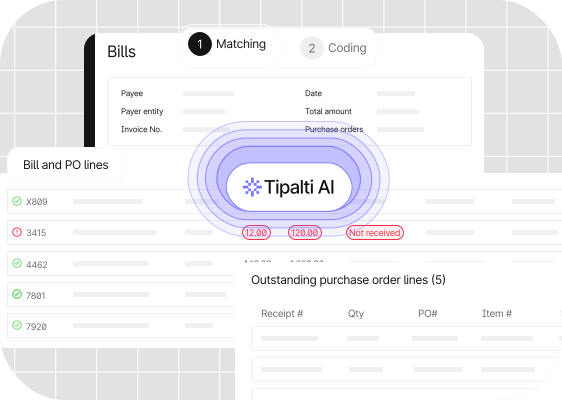
Streamline purchasing with configurable rules for two-way and three-way matching at both header and line-item levels. Easily handle mismatches with tolerance ranges, and set up exception approvals to resolve unmatched invoices efficiently. Gain instant insights into exceptions with a colour-coded, intuitive interface.


Unified with Payment Processing
Our solution handles dozens to hundreds of invoices, whether paid individually or in batches. Payment processing allows you to group invoices easily, enforce segregation of duties by separating approvals from payments, and automatically hold payments if funds are insufficient. You can also put specific invoices on hold within payment batches for future payments.
Automated Supplier Communications
Automated supplier communications reduce supplier enquiries, keeping suppliers informed at every step of the process—from invoice receipt to payment. Status updates via email and self-service access to payment history significantly reduce AP time, boosting productivity and lowering processing costs.


Real-Time Reconciliation
After payments are made, Tipalti delivers real-time payment reconciliation directly to your ERP—eliminating the need to consolidate data across multiple spreadsheets or accounting systems. Our reconciliation process creates a robust audit trail for transparency and compliance.
Integrations
Pre-Built ERP Connections to Extend Automated Workflows
Easily extend and simplify your workflows with pre-built integrations and powerful APIs for your ERPs, accounting systems, performance marketing platforms, HRIS, SSO, Slack, credit cards, and more.


Customer Stories
Don’t just take our word for it,
see what our customers are saying
 Accounts Payable
 Mass Payments
 Expenses
 United States, United Kingdom
 E-Commerce & retail
 100 – 1000
 Business services
 Manufacturing and Wholesale
 More industries
 Healthcare
 Software and technology
 Procurement


Platform Features
Work smarter, not harder
With AI and machine learning capabilities, an intuitive UX, and quick and easy global payments, you can drive unprecedented efficiency.



Awards
Award-winning and best reviewed

The FinTech Awards
Best SaaS for FinTech 2025

2025 Deloitte Technology
Fast 500
Awarded to Tipalti for the 8th consecutive year

2026 CNBC World’s Top Fintech Company
Awarded to Tipalti for the 4th consecutive year

Spend Matters’ 50 to Know 2024
Awarded to Tipalti for the 5th consecutive year
Get Up and Running in Weeks, Not Months
Book a demo to get started today and take control of your finance operations with Tipalti.


Invoice Management FAQs
What is invoice management software?
- Invoice capture with Optical Character Recognition (OCR)
- Data extraction with validation rules
- Workflow automation with approval routing hierarchies
- Duplicate detection and two and three-way PO-matching
- Vendor management with communication tools
- Global payment processing with FX capabilities
- In-depth analysis and custom reporting
Why automate invoice processing?
- Cuts down on error rates. Less manual entry means less room for mistakes.
- Speeds up the approval process and reduces processing times. Especially for vendors with recurring invoices.
- Saves on labor costs. Staff can work on more business-critical tasks.
- Reduces duplicate invoices and payments.
- Improves relationships. Employees are liberated from tedious tasks, and vendors have a more transparent process.
- Slashes the costs of manually processing invoices (postage, paper, etc).
- It helps to secure early-payment discounts and avoid making late payments.
How can invoice management software automate the accounts payable process and reduce manual data entry?
- AI-powered duplicate detection to prevent overpayments
- ERP integrations with Application Programming Interface (API)
- Comprehensive reporting and analytics on invoice status and performance metrics
What is the best way to keep track of invoices?
-
- Implement automated invoice management: Use dedicated software to automate tasks like data capture, invoice and payment processing, and reporting.
- ERP integration: Implement the software with your ERP or other accounting systems to streamline data flow.
- Centralise data storage: Store all documents in a centralised digital repository that ensures easy access and retrieval. Consider cloud-based solutions for remote access.
- Standardise invoice processing: Establish consistent workflows and templates for invoice receipt, approval, and payment. This includes defining the roles and responsibilities for each step.
- Reminders and Alerts: Set up automated reminders and alerts for upcoming due dates, pending approvals, and overdue payments.
- Regularly reconcile: Reconcile invoices with financial records to ensure accuracy and identify discrepancies. Conduct periodic internal audits to track every last invoice.
- Utilise dashboards: Centralised dashboards can provide a real-time overview of invoice statuses, pending approvals, and payment timelines.
- Self-service supplier portal: Provide a portal where suppliers and vendors can submit invoices, track payment status, and resolve queries independently.
- Implement strong controls: Ensure all invoice data is protected and encrypted both in transit and at rest. Ensure only authorised people can view and process invoices.
- Leverage mobility: Use mobile apps to empower teams to review, approve, and manage invoices remotely— ensuring flexibility and prompt responsiveness.
What is e-invoicing?
- E-invoices are typically generated in formats like XML, EDI, or UBL
- Instead of an email or printed invoice, an e-invoice is transmitted directly between systems
- E-invoicing aligns with HMRC’s (HM Revenue & Customs) Making Tax Digital (MTD) initiative, which requires businesses to maintain digital records and submit VAT returns electronically
What features should I look for in invoice management software?
-
- Invoice capture: The automated capture of invoices from various channels, like emails, scanned documents, and supplier portals.
- Data extraction: Optical Character Recognition (OCR) extracts data from invoices, eliminating time-consuming manual data entry.
- Workflow automation: Setting up automated approval workflows, notifying key stakeholders, and ensuring compliance with company policies.
- Key integrations: Seamless integration with accounting software, enterprise resource planning (ERP) systems, and payment gateways to facilitate a smooth data flow.
- Reporting and analytics: Generating detailed reports with customisable dashboards and key metrics for monitoring.
Can Tipalti capture both header and line-level invoice details?
Yes, Tipalti can capture both header and line-level invoice details. The system utilises Tipalti AI Smart Scan, allowing it to extract detailed information from invoices, including both header and line items.
Header and line-level invoice data capture significantly reduces the time and effort needed for manual data entry, enhancing the efficiency and accuracy of the accounts payable process.
By capturing line-level details, Tipalti ensures more granular and precise invoice management. This capability supports detailed financial reporting and enables more accurate and streamlined approval workflows, benefiting complex business needs all over the globe.
How many languages can Tipalti's AI Smart Scan read on invoices?
Tipalti’s AI Smart Scan technology reads invoices in 32 different languages. This feature enables the system to capture and process both header and line-level details across multiple languages, making it highly adaptable for global payment processing.
Do you have to log into Tipalti to approve invoices?
No, you do not have to log into Tipalti to approve invoices. Tipalti also provides email-based approvals. This allows approvers to review and approve invoices directly from their email without logging into the Tipalti platform, enhancing convenience and accelerating the approval process.
Does Tipalti charge additional fees for invoice approvers?
Tipalti does not charge additional fees for invoice approvers. The approval process is included in their accounts payable automation software, which offers features such as automated invoice data capture, OCR scanning, and approval workflow routing.
Our solution allows approvers to review and approve invoices via email or mobile devices without needing to log into the system, thereby streamlining the entire process without incurring extra costs.
Recommendations
