

 Back
Back Tipalti MCP
Connect Tipalti MCP to your AI tools
Tipalti MCP securely connects supported enterprise AI to your Tipalti finance data. Look up invoice, supplier, and payment information, and analyze it in your AI workspace.

Trusted by Mid-Market Leaders






































Tipalti MCP In Action
A new way to work in
the AI tools you already use
Connect live Tipalti AP and payments data to AI tools for richer insights and enhanced workflows, backed by Tipalti’s trusted security.

Richer financial insights at your fingertips
Spend less time gathering information and get answers without leaving your preferred AI tool. Explore vendor details, invoice history, and live payment status without CSV exports or platform switching.

Reimagine and enhance your workflows
Combine permitted Tipalti finance data with information from your other connected systems to support analysis, reports, and create custom AI agents and artifacts tailored to the way you work.

Keep your data secure and access controlled
Work confidently with relevant financial information and protections that carry over from Tipalti. Your existing permissions and admin-approved scopes keep your view tailored to your role and sensitive data protected.
Why It Matters
Build custom agents
to move your team forward
Less manual effort, deeper business context, and faster decisions, all tailored to your goals.


Trust & Control
Finance-grade security connected to your AI

Your permissions apply
Tipalti checks each request against your existing roles and permissions. If you can’t view the data in Tipalti, your AI tool can’t retrieve it.

Built-in compliance
OFAC screening, tax ID validation, and fraud monitoring carry over to MCP, extending Tipalti’s compliance controls to your connected AI tools.

Data stays protected
Connect with confidence through Tipalti’s SOC-compliant, GDPR-ready platform, with AI audit trails that support oversight.

Admins control access
Team admins define what data is available through MCP, keeping access within approved scopes.
What’s Possible
Shape AI tools around your finance priorities
Explore how live Tipalti data and your other connections can power AI agents, custom dashboards, and analysis in your own AI setup.
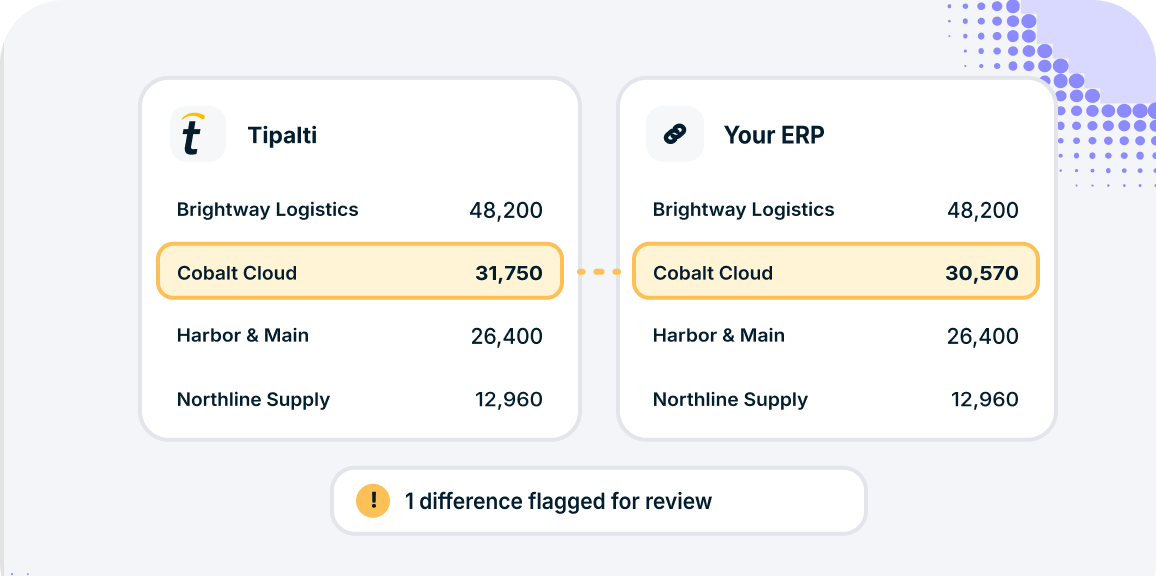
Reconcile Tipalti and ERP data at month-end
Build an AI agent that compares data across both systems and flags discrepancies for review before close.
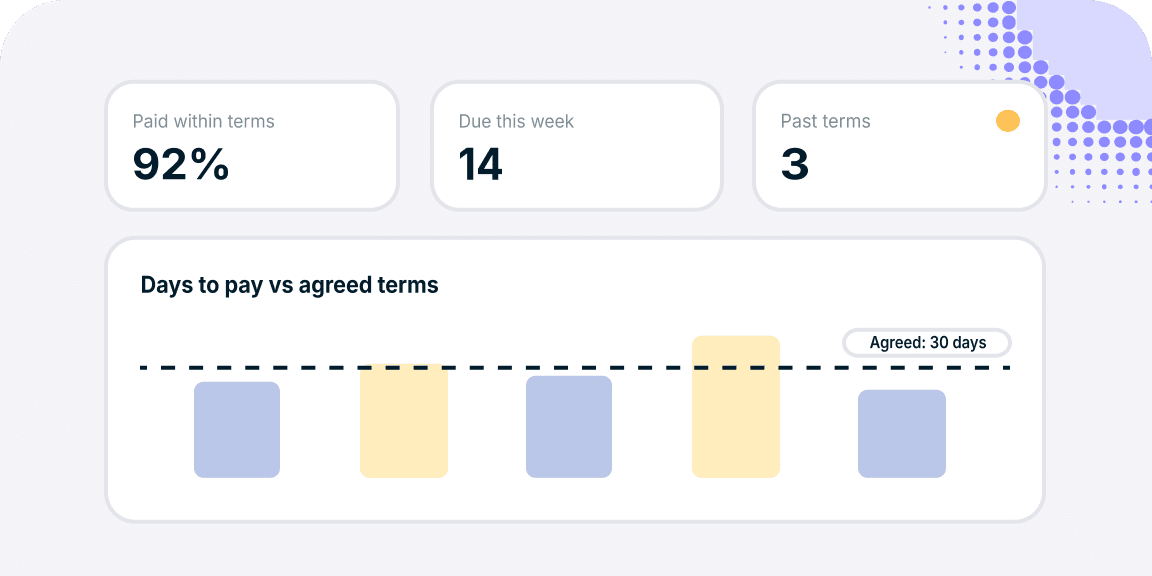
Track payment terms in a custom dashboard
Combine live Tipalti data with your other connections to build a dashboard that shows how payments compare to agreed terms.
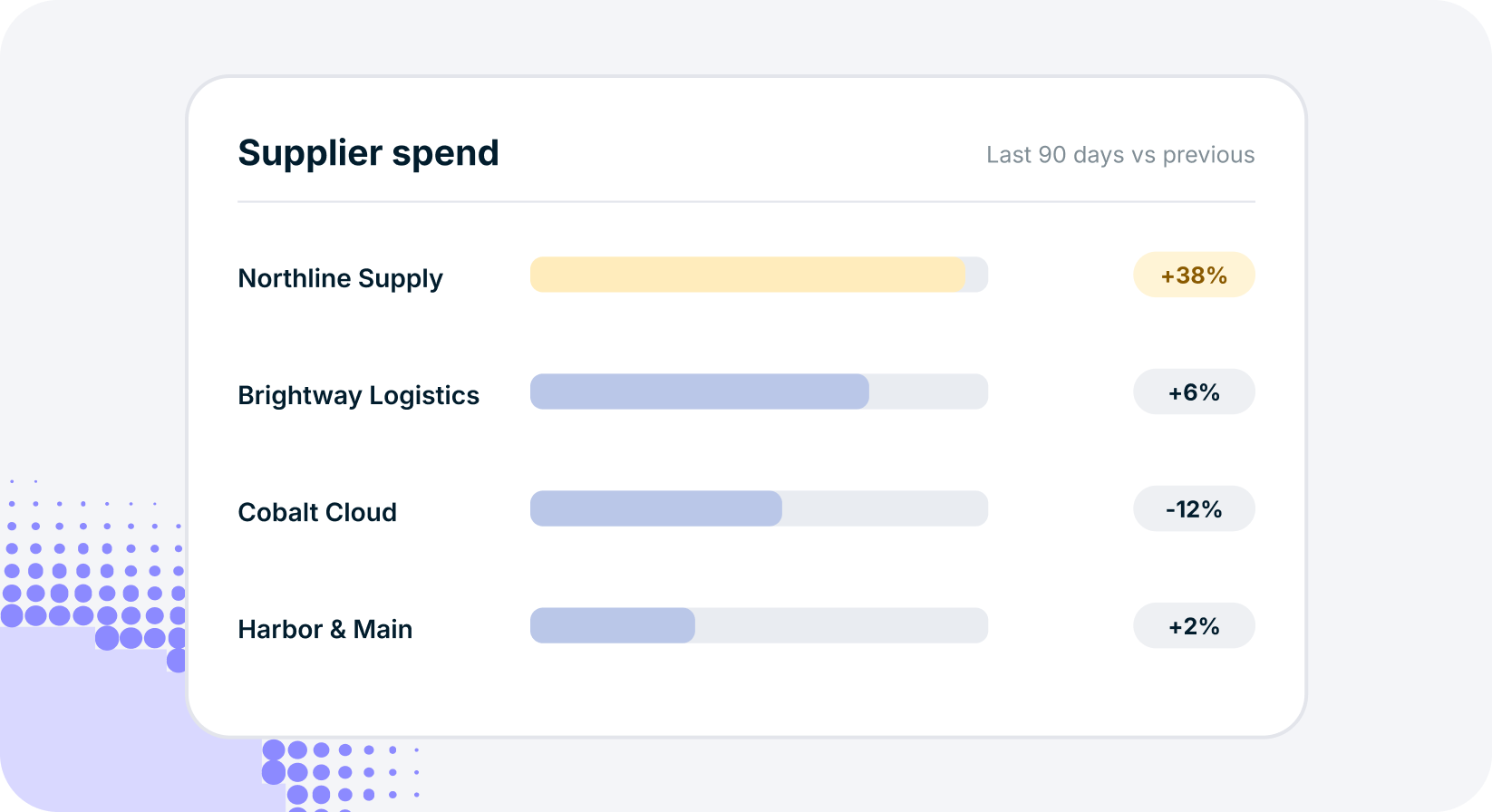
Spot changes in supplier spend
Create an AI artifact that visualizes invoice and spend trends and highlights which suppliers account for the biggest changes.
Tipalti Connected Suite
Go further with Tipalti’s agentic AI platform for finance
Turn finance operations into a competitive advantage with accounts payable, mass payments, procurement, expenses, cards, and treasury in one connected suite.

Tipalti AI
Trusted AI built into your finance operations
Put trusted AI to work across finance with Tipalti’s AI Assistant, specialized task agents, and an AP Agent. These capabilities help automate individual tasks and coordinate invoice processing while keeping finance teams in control.
- Process invoices using your vendor data, GL, and policies with AP Agent
- Automate capture, coding, and PO matching with specialized agents
- Analyze financial data and create custom reports with the AI Assistant

Accounts Payable
Agentic AP that keeps you in control
Tipalti combines AI-powered automation, global payments, and financial controls to help your team manage growing complexity. Keep AP and accounting connected with ERP sync for systems including NetSuite, QuickBooks Online, and Sage Intacct.
- Automate invoice capture, coding, matching, and approval routing
- Manage suppliers and payments across entities and currencies
- Keep AP and accounting connected with ERP integrations

Mass Payments
Grow your global reach. Simplify every payout.
Pay creators, partners, and contractors around the world without adding operational complexity. Tipalti connects payee onboarding, tax compliance, and global payouts in one platform, helping you scale payments and strengthen the relationships behind your business.
- Simplify onboarding with a self-service payee portal
- Pay globally with multiple currencies and payment methods
- Track payment status and streamline reconciliation

See Tipalti MCP in action
See how Tipalti MCP connects your finance data to AI tools, helping you build custom agents, explore insights, and work within existing permissions.


FAQs About Tipalti MCP
Tipalti MCP questions, answered
What is Tipalti MCP, and how does it work?
Tipalti MCP connects live accounts payable and payments data to your preferred enterprise AI tools through the Model Context Protocol (MCP). Once connected, you can explore financial information and combine it with context from other systems, such as your ERP, without exporting CSV files or switching platforms. You can also build AI agents, custom reports, dashboards, and other AI artifacts within your own setup, with access governed by Tipalti’s existing permissions and controls.
Which AI tools can I connect to Tipalti MCP?
Tipalti MCP’s initial support starts with Claude Enterprise, with expansion to additional enterprise AI tools planned. The connection brings Tipalti financial data into a supported external AI assistant. Tipalti also offers its own AI Assistant directly within the Tipalti platform, giving finance teams another way to access insights and reporting.
What Tipalti finance data can my assistant access?
Tipalti MCP provides access to the full data models available through Tipalti AI Assistant, including vendor details, invoice history, and real-time payment status. This financial context supports everything from checking supplier payments to analyzing invoice and spend trends. The information your assistant can retrieve depends on your individual Tipalti permissions and the access scopes approved by your admin.
How does Tipalti MCP enforce permissions and access?
Tipalti MCP respects Tipalti’s existing roles and permissions, so your AI assistant can only retrieve information you’re authorized to access. Admins define the data available through the connection, and each request is checked against the user’s identity, account, and approved scope. Different users may therefore see different financial information. Tipalti’s security protections and AI audit trails support controlled access and oversight.
Can Tipalti MCP approve invoices or send payments?
No. Tipalti MCP is read-only at launch, so connected AI tools cannot approve invoices, send payments, or change records within Tipalti. You can use the available data to build AI agents that reconcile information for month-end close, create reports, and surface trends. These automations operate within your individual AI setup; they do not execute actions in Tipalti or create company-wide automation.
Who can access Tipalti MCP, and how do I connect?
Access requires a supported enterprise AI tool, an admin-approved Tipalti MCP connection, and a Tipalti user account with the appropriate permissions. Initial support starts with Claude Enterprise. Work with your Tipalti admin and IT team to approve the connection, then sign in with your Tipalti credentials and select the relevant payer account. Your assistant’s access remains limited to your permissions and the approved data scope.