

 Back
Back 


OCR is the first step in AI-powered AP automation, capturing invoice data for NetSuite users. Combined with automated approvals, ERP sync, and payments, it streamlines the entire invoice lifecycle.
In addition to invoice data capture, the best AP automation for NetSuite with OCR provides multi-subsidiary, end-to-end invoice processing, compliance, and spend business intelligence with real-time visibility.
What Is NetSuite OCR?
NetSuite OCR (optical character recognition) uses automation and AI/ML to scan documents, PDFs, or images, extract text, and convert it to machine-readable data assigned to fields.
Most finance teams use OCR as part of a broader AP automation platform that also validates invoices, routes approvals, synchronizes with NetSuite, and automates payments.
OCR extracts supplier invoice and procurement PO data needed for NetSuite workflows. It is often implemented with an accounts payable automation add-on.
Why Finance Teams Use OCR With NetSuite
50% of companies spend more than 10 hours per week processing invoices and administering supplier payments. In contrast, 18.6% of companies spend 1 to 5 hours a week, and the most efficient companies spend less than 1 hour a week.
These statistics are from the IFOL (Institute of Financial Operations and Leadership) report, Accounts Payable Automation Trends 2024. It shows that AI-driven accounts payable automation (with OCR and machine learning) substantially speeds up invoice processing and payments.
OCR software for NetSuite helps the finance team avoid:
- Manual invoice entry pain points: tedious, time-consuming data entry and GL coding
- AP bottlenecks: manual processing delays inherent in the native NetSuite ERP
- Human error: data entry mistakes, skipped processes, and duplicate payments occur
- Compliance risks: tax compliance and global regulatory compliance subjects companies to penalties
- Slow month-end close cycles: processing delays and manual payment reconciliation
Added NetSuite OCR bill capture software streamlines vendor invoice processing workflows. Automating OCR processes is much more accurate at entering vendor bills into NetSuite than manual data entry by the AP team, thanks to machine learning. This means most errors will be detected, and your staff will not need to spend time preparing many manual corrections.
Accounts Payable Bottlenecks
AP bottlenecks relate to:
- 3-way matching manual workflows
- Missing or lost documents
- Delayed invoice approvals
- Responding to frequent supplier payment status inquiries
3-Way Matching Bottlenecks
Manually matching invoices is time-consuming. With manual invoice processes, your company will need to file and store bill records, such as matched invoices with purchase orders and receiving copies. Matched paper invoices may be lost when routed to approvers, misfiled, or stored in archive boxes that are missing or destroyed.
Delayed Invoice Approvals
Invoice approvals are often delayed in a manual system because:
- Approvers aren’t always in the office due to travel or remote work hours
- Approvals may be of a lower priority when paper-based matched document sets are placed in an inbox
- Documents may be routed to the wrong manager for approval
Approval delays often lead to slower invoice processing and missed early payment discounts.
Payment Status Inquiries Interruptions
In a manual system, the AP team is constantly interrupted by vendors or suppliers asking when their past-due invoices will be paid. This further delays invoice processing and leads to staff frustration. Supplier satisfaction is low when their bills aren’t paid in a timely manner. In some cases, vendors may suspend shipments until the customers pay their bills.
In contrast, NetSuite OCR software overcomes these bottlenecks in invoice and purchase order processing for 2-way/3-way matching in payables and approvals. It helps your business avoid manual data entry, errors, and slow processing. Approvers don’t have to be in the office at all times to perform their work obligations. The Supplier Hub shows suppliers their invoice and payment statuses, along with the history for these items, freeing up staff time.
Compliance Issues
AP compliance issues related to tax and global regulatory compliance increase business risk.
Tax Compliance
For AP tax compliance, the issues include:
- Not meeting 1099/1042-S IRS deadlines for submitting information returns
- Missing payees’ W-9 or W-8 series forms, requiring follow-up time
- Inadequate checks for TIN accuracy
- Missed tax withholding/backup withholding
These tax compliance missteps could result in your business incurring penalties or extra payments when required amounts aren’t withheld from the applicable suppliers’ payments.
Global Regulatory Compliance
Because so many regulations apply to global payments, many company staff are not familiar with U.S. government regulations, those issued by foreign jurisdictions, and local banking regulations.
How OCR Works in NetSuite Invoice Processing
NetSuite OCR generates the structured invoice data that powers downstream AP automation workflows, including approvals, PO matching, ERP synchronization, and payment processing.The data is synced with NetSuite ERP, enabling instant automated payment reconciliation.

Step-by-step workflow for an OCR NetSuite add-on is:
- Invoice capture: scans invoices with OCR, AI/ML
- Data extraction: relevant headings and line items from the supplier invoice
- Validation: invoice accuracy and duplicate invoice checks
- Approvals: automatically routes documents to designated approvers
- ERP sync: real-time sub-ledger syncing between AP automation and NetSuite
OCR technology for supplier invoices extracts:
- Invoice number and date
- Due date
- Related PO number
- Vendor name, supplier contact, and payment information
- Line items billed, including descriptions, quantities, and prices
- Subtotal, sales tax, and total amount due
How Tipalti Extends NetSuite OCR
OCR is only one part of an automated AP workflow. Watch how Tipalti integrates with NetSuite to automate invoice capture, approvals, ERP sync, payments, and reconciliation.
Watch: Tipalti + Oracle NetSuite: Seamless AP Automation & Real-Time Reconciliation
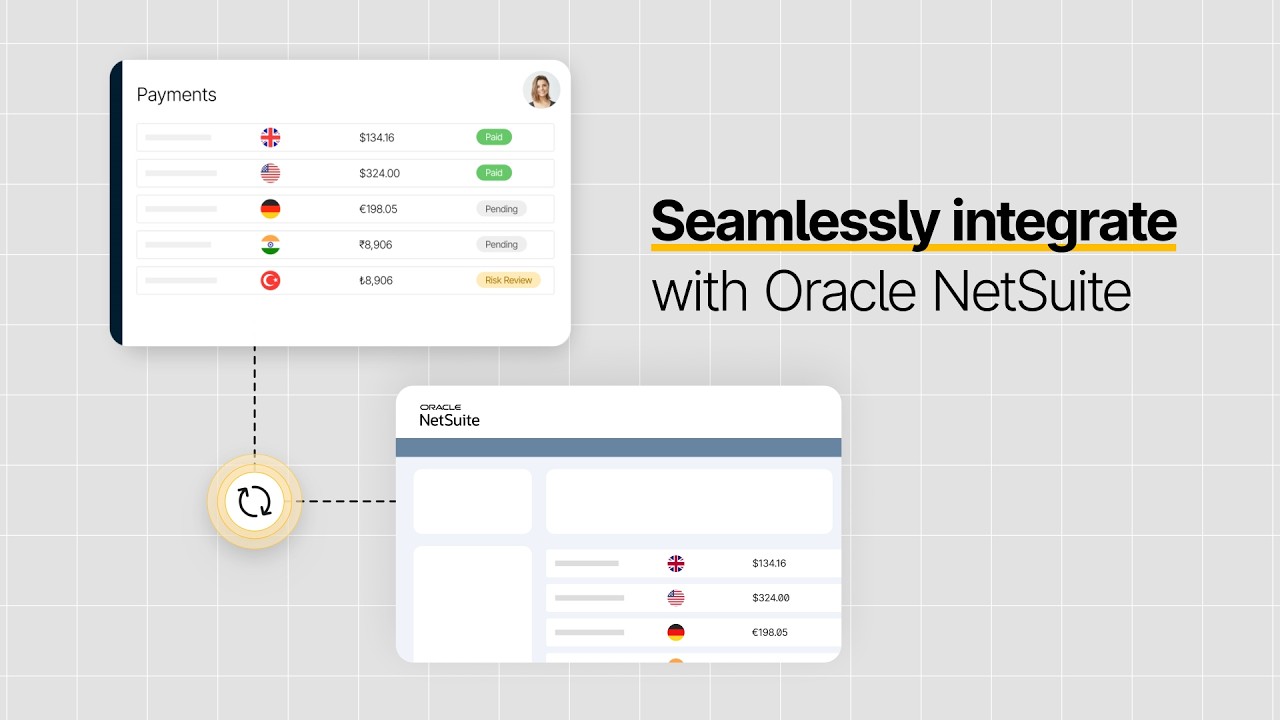
This highlights how Tipalti’s end-to-end global finance automation solution seamlessly integrates with Oracle NetSuite to eliminate manual friction and drive efficiency for growing businesses.
NetSuite Native OCR vs Third-Party OCR Software
Do you understand the difference between native NetSuite ERP and third-party advanced AP automation software with OCR? First, grasp an understanding of native NetSuite. Then compare the solutions.
FAQs: NetSuite Native and Bill Capture Module Capabilities
Can NetSuite’s native capabilities handle OCR?
Native NetSuite ERP doesn’t handle invoice capture.
Does NetSuite have built-in OCR capabilities?
No. This functionality can be added to your subscription plan with the NetSuite Bill Capture module, which uses OCR and AI/ML to scan and improve accuracy.
But you don’t need to incur this extra module cost if you choose a third-party AP automation product instead.
How does NetSuite Bill Capture work?
NetSuite Bill Capture uses emailed invoices or drag-and-drop invoice uploads to NetSuite, scans using OCR/AI/ML, populates NetSuite fields, and automates PO matching.
Table: NetSuite Native OCR vs. Advanced AP Automation
This table compares native limitations vs. third-party advanced AP automation across different use factors.
| Native Limitations | Third-Party Advanced AP Automation | |
|---|---|---|
| Accuracy | Manual processes result in human error | Very high accuracy levels with AI/ML automation |
| Scalability | Higher pricing tiers as volume increases | Yes: volume increases and complex global operations |
| PO matching | Time-consuming manual process delays approvals | Yes, automated with side-by-side discrepancy resolution |
| Supplier onboarding | Manual onboarding: staff time and errors | Self-service: tax form collection, contact, pay method |
| Tax compliance | Compliance risks: late/missing W-9/W-8s, wrong TIN, W/H | W-9/W-8 TIN matching, W/H calc; prep reports |
| Multi-entity support | Multi-subsidiary/multinational with NetSuite OneWorld | Yes, with entity and combined global |
Each of the above reasons justifies the case for adding advanced AP automation software to NetSuite ERP. Tax compliance can be costly if not handled well.
Tax Compliance Risks
Tax compliance is a risk that should be mitigated by integrating AP automation. When the AP staff doesn’t collect W-9 and W-8 series tax forms upfront from suppliers before the first payment, they will waste time chasing down missing forms before 1099 and 1042-S information returns are due. Discontinued suppliers may not submit their form to your company. Delays may result in IRS penalties for late returns.
If the AP team misses key steps, such as failing to use the IRS matching service to verify TINs, your company may incur IRS 1099 information return penalties for submitting incorrect taxpayer ID numbers.
Not correctly calculating and deducting any required tax withholding (W/H) from non-resident aliens’ and foreign entities’ payments may subject your company to paying that withholding tax instead, per IRS Publication 515. (Sometimes tax treaties reduce or exempt the need to withhold for tax residents of a particular country.)
If a foreign party subject to tax withholding eventually pays the IRS, then your company is still liable for interest and penalties for failure to withhold. That’s an expensive mistake that’s hard to explain to your company’s upper management team.
Key Features to Look for in NetSuite OCR Software
NetSuite OCR software should provide functionality with these key features:
- AI-enhanced data capture: Artificial intelligence, including machine learning, improves the quality of extracted data during invoice capture.
- Global and multi-entity support: Multi-subsidiary software that enables payments across many countries and currencies (with global regulatory compliance) is essential.
- PO matching: Invoices must be automatically matched with purchase orders (plus receiving reports in 3-way matching).
- Approval workflows: Automated routing of digitized matched invoices with notifications is essential to prevent bottlenecks.
- Supplier management: Self-service supplier onboarding for tax form collection before the first payment, along with payment method details, improves accuracy, efficiency, and tax compliance.
- Tax/VAT validation: A tax engine should include TIN matching validation, compute any required tax withholding, and handle value-added tax verification.
- ERP synchronization: Bi-directional syncing between AP automation and NetSuite ERP is required to trigger real-time reconciliation and eliminate manual data entry.
Planning a NetSuite AP Upgrade?
See how leading finance teams extend NetSuite with AI-powered AP automation. Learn what to look for, common migration considerations, and best practices for scaling invoice processing without disrupting your ERP.
Benefits of AI-Powered AP Automation for NetSuite
Using AI-powered AP automation with built-in OCR improves NetSuite’s efficiency, controls, compliance, and invoice processing from capture through payment.
What are the benefits of OCR for NetSuite accounts payable?
Integrating OCR with NetSuite provides these benefits:
- Faster invoice processing
- Reduced AP costs
- Improved accuracy
- Better audit trails
- Real-time visibility
- Tax and global regulatory compliance
- Scalability for growing finance teams
Faster Invoice Processing
With AI-powered OCR AP automation, invoice processing is faster due to automated data capture, data entry, GL account coding, PO matching, verification, and approval before payment processing, eliminating manual tasks.
Accounts Payable automation software also results in faster closing cycles with automated instant batch payment reconciliation.
Reduced AP Costs
The CFOs and controllers of well-managed companies look for ways to reduce accounts payable costs without adversely affecting throughput. AP automation lets your business reduce costs and increase volume without hiring extra staff to handle the additional invoices.
Automated payment reconciliation not only speeds financial close but also reduces accounting staff’s reconciliation time. Your valuable finance team can shift its focus from routine tasks to performing value-added work, such as cost-reduction analysis or capital budgeting justifications.
In addition to reducing AP costs, your company will be able to process its vendor invoices quickly. Quick invoice processing lets your business take advantage of suppliers’ 2/10, net 30 invoice discounts, reducing your product costs on inventory purchases, thereby increasing gross margin.
Improved Accuracy
AP automation replaces error-prone manual data entry and spreadsheets. It uses thousands of automated payment rules to detect potential errors, including duplicate payments, and flag exceptions for human-in-the-loop resolution with suppliers before overpaying.
As another benefit, accounts payable automation platforms help your company detect and reduce the risks posed by fraudulent suppliers and invoices.
Better Audit Trails
Traceability with audit trails is essential to building strong internal controls. Audit trails help you reduce fraud risks. Auditors also use audit trails to substantiate their clients’ internal controls. As internal controls improve, audit fees may be lower, providing additional savings.
Real-time Visibility
Real-time visibility is a key feature of AP automation systems. When supplier invoices are received, they are entered into the accounts payable subledger immediately. Timely accounts payable recording makes financial statements more accurate than when using a manual accounts payable system, where time-consuming invoice entry lags.
With integrated OCR automation systems, users can check accounts payable balances at any time to view up-to-date report amounts and dashboard metrics. A top Accounts Payable automation system should also provide real-time, custom reports from AI queries to improve business intelligence on spending and accounts payable.
Tax and Global Regulatory Compliance
Compliance relates to both tax compliance and global regulatory compliance when making payments.
Automated Tax Compliance
Your business can reduce its supplier-related tax compliance risks by using integrated third-party AP automation software that excels at:
- Collecting W-9 or W-8 series forms upfront before the first payment
- Automatic TIN matching
- Calculating and deducting any required tax withholding from foreign persons on U.S.-source income
- Tracking supplier payments and providing tax preparation reports for 1099 and 1042-S information returns
The best AP automation (e.g., Tipalti Accounts Payable) software automatically guides suppliers in selecting the correct tax form (e.g., W-9, W-8BEN-E, or W-8BEN) during onboarding.
Automated Global Regulatory Compliance
Accounts Payable automation software automates global regulatory compliance. This functionality is crucial because it’s difficult for your staff to keep up with the various regulations across many countries.
Global regulatory compliance means your payments comply with sanctions regulations (e.g., OFAC), anti-money laundering (AML) regulations, Know Your Customer (KYC) regulations, and sender- and recipient-country banking regulations.
Scalability
Having scalable AP automation platforms integrated with NetSuite ERP means the system can meet your mid-market company’s needs as it grows. As your business becomes more complex and multinational, you can easily add global subsidiaries and retail store locations.
Subscription Enhancement Opportunities
Maybe your business is looking for a comprehensive solution now. If so, start big to cover all the bases. Otherwise, you’ll be able to add more functionality as your budget and company needs increase.
For example, adding products to centralize invoice payments for all subsidiaries and hedge payables may be justified at a later date. At some point, adding a unified behavioral fraud detection solution (such as Tipalti Detect®) makes sense.
Perhaps your business starts making a large volume of non-supplier payouts for royalties, other creators, or global freelancers. Then, a mass payments product for payouts can be added to increase your finance department’s efficiency and use more cost-effective payment methods.
Common Challenges With NetSuite OCR Implementations
NetSuite OCR implementations present some challenges that must be addressed during planning, preparation, and implementation.
NetSuite OCR implementation challenges include:
- Poor invoice formatting: Unstructured invoices can lead to erroneous data and incorrect field mapping, whereas AP automation systems handle a range of invoice formats, including structured and unstructured documents.
- OCR accuracy concerns: Without machine learning, OCR may not accurately capture data.
- Approval workflow gaps: Implementation planning should establish streamlined AP workflows to cover every step in the invoice approval process.
- ERP integration issues: Using a pre-built API connector to your NetSuite ERP system can help overcome some basic integration coding challenges, save time, authenticate, and bi-directionally sync data.
- Change management/adoption: Employees must be adaptable to system changes, understand tasks through adequate communication and planning, meet reasonable implementation timelines, and receive encouragement and support from the executive management team.
- Multi-subsidiary complexity: The NetSuite OCR software must be designed to handle multi-subsidiary complexity and cross-border global transactions.
How Tipalti Extends NetSuite OCR Automation
During NetSuite migration or after NetSuite is implemented, Tipalti’s NetSuite OCR automation products, such as Accounts Payable, can significantly extend NetSuite’s capabilities through integration. Tipalti, which has seamless functionality with NetSuite, provides comprehensive AP automation.
Tipalti’s automated invoice processing functionality for payables includes:
- End-to-end AP automation
- OCR + approvals + supplier onboarding + payments
- Native NetSuite sync
- Multi-entity/global capabilities
Tipalti Accounts Payable is an award-winning third-party software product recognized by NetSuite as an outstanding SuiteApp that’s “Built for NetSuite.” For its AP automation integration with NetSuite, Tipalti was named Oracle NetSuite’s “SuiteCloud Growth Partner of the Year” in 2024.
Procurement PRs and POs
Tipalti also offers a Procurement product with NetSuite integration for purchase order processing. AI-driven Tipalti Procurement automatically creates purchase orders from approved purchase requisitions (PRs) submitted by employees.
Drag-and-Drop Functionality
Tipalti provides drag-and-drop functionality to configure and manage accounts payable workflows and processes without coding.
Examples of where this Tipalti drag-and-drop functionality is used include:
- Establishing multi-step approval workflows
- Customizing ERP integration export template files
- Handling PO matching discrepancies, using side-by-side invoice/PO line item comparisons to clear exceptions
OCR Intake Functionality
Tipalti accepts PDF invoices, emails, and invoice uploads to the Supplier Hub. It also integrates with global e-invoicing networks, such as Peppol.
Instant Payment Reconciliation
After syncing with NetSuite ERP in real-time at the sub-ledger level, Tipalti instantly reconciles high-volume, multi-currency, and multi-method payment batches.
Global Payments and Advanced Currency Products
Tipalti integrates with NetSuite ERP and NetSuite OneWorld (see NetSuite modules) to enhance global capabilities. With Tipalti’s advanced currency management software, Multi-FX, your business can centralize global payments for all subsidiaries without establishing a regional international banking network. Tipalti also offers a payables hedging product, Tipalti Hedging, to lock in foreign currency rates that would otherwise fluctuate between the invoice and payment dates.
Real-time Dashboards and Reports
Tipalti Accounts Payable provides real-time visibility at the entity and combined company levels. Visibility includes dashboards with metrics and reports. Business intelligence features include the ability to instantly generate ad hoc reports from your AI queries, in addition to using the standard reports.
Efficiency Statistics for a NetSuite + Tipalti User
JLab, an e-Commerce and retail company, removed bottlenecks and enhanced invoice processing and financial close efficiency with Tipalti Accounts Payable.
JLab has achieved these substantial results by using Tipalti Accounts Payable integration with NetSuite, using OCR and AI-powered automation:
- Boosted productivity by 68%
- Managed 35% more invoices without adding headcount
- Achieved a 27% faster financial close

Before Tipalti, we were manually entering bills into NetSuite and getting approvals via email. It was a lot to track, especially in a shared inbox, and it was hard to navigate and process everything efficiently. Now, the NetSuite integration with Tipalti is seamless. Approvers can push bills directly into our ERP system, eliminating bottlenecks and saving time.
Diana Ramos
Staff Accountant, JLab
NetSuite Integration Adds More than OCR
NetSuite OCR add-on software for payables automation is essential for:
- Greater efficiency
- Reduced costs
- More accuracy
- Stronger tax and global regulatory compliance
- Enhanced financial controls
- Timely supplier payments
- Faster monthly close
- Real-time visibility and spend analysis
OCR is the foundation of modern invoice automation, but the biggest efficiency gains come when it’s combined with AI-powered approvals, ERP synchronization, payments, and reconciliation in a single AP automation platform.
Tipalti Accounts Payable uses AI-driven OCR to capture invoices. It removes bottlenecks and helps your business process supplier invoices on time to take lucrative early payment discounts. Explore Tipalti’s NetSuite integration.
