

 Back
Back 


99% of companies face numerous data-related challenges led by complexity and integration. Those surveyed said the interruption of ERP data directly impacts the business with slowed operations, impaired decision-making and lost revenue.
These findings come from a global Fivetran/Dimensional Research survey of ERP leaders—and they underscore just how high the stakes are during an ERP migration.
Because the risks are real and the impact on the business can be substantial, this guide is intended to help your team become better prepared for a NetSuite migration from a different ERP or small-business accounting software, thereby improving the likelihood of a successful NetSuite ERP migration.
Why Companies Migrate to NetSuite—and When to Make the Move
Businesses typically migrate to NetSuite when their existing systems can no longer support growth, complexity, or modern operational needs. Common triggers include:
- Moving up from small business accounting software: an ERP to manage the entire business operation is needed to replace siloed systems with limited functionality
- Replacing a software product at end-of-life: need to migrate to replacement software
- Moving from on-premise to cloud software: changing the deployment method of their ERP software from on-premise to more modern cloud software (or from cloud to on-premise for data privacy)
- Scaling with increased complexity: seeking a solution to handle increased volume and business complexity
- Global expansion: need robust global functionality
- Multi-subsidiary structure: software must handle multiple entities and consolidation
- IPO readiness: must meet the reporting and analysis capabilities for public companies
Small Business Accounting Software
Your business may notice signs that it’s time to move beyond SMB accounting solutions or ERPs. Small business software may not provide the necessary functionality or data segmentation for analysis required by a growing, global, multi-subsidiary business, and may use siloed systems for managing different business functions.
End-of-Life Software Products
Software developers, including Microsoft, are phasing out some legacy products and encouraging users to migrate to cloud-based alternatives.
End-of-life examples are Microsoft NAV (Navision) and Microsoft Dynamics (GP). Microsoft NAV reached its end of life on January 10, 2023, with no new features, security updates, or bug fixes after that mainstream support end date. Extended support (security updates) ends on January 11, 2028. Microsoft encourages its Microsoft NAV users to migrate to its cloud-based Microsoft Dynamics 365 Business Central software product.
Microsoft Dynamics GP reaches end-of-life on December 31, 2029, for features and regulatory updates, and April 30, 2031, for security updates.
While Microsoft would like these Microsoft legacy system users to begin migrating to Microsoft Dynamics 365 early, businesses may consider or choose a legacy Microsoft Dynamics to NetSuite migration instead.
Many Tipalti customers transition to NetSuite as they scale beyond entry-level systems or encounter challenges with their current ERP.
We were looking for something that made the approval process better. We liked the efficiency of Tipalti’s approval flow, and its simplicity was very user-friendly and integrated well with NetSuite.
Byron Whitman, Corporate Controller, NEXT Insurance
Key Challenges in NetSuite Migration (and How to Address Them)
Even well-planned NetSuite migration projects encounter hurdles that stem from legacy systems, data quality gaps, and configuration demands. These are the key challenges migration teams should be ready to manage:
- Data integrity issues: incomplete, inaccurate, duplicate, and unstructured data
- Limited ERP expertise: SMBs need consultants to improve migration success
- Misalignment between IT and Finance: multi-functional teams must collaborate well, and the NetSuite migration must have top management support
- Underestimating configuration needs: including multi-subsidiary, tax, and compliance requirements
- Go-live risks: insufficient pre-launch testing, delays, failed reconciliations, reporting gaps
The good news: most migration challenges can be avoided with the right preparation, tools, and cross-functional alignment. Applying the following best practices helps ensure a smoother implementation, higher data integrity, and a stronger go-live experience:
- Align cross-functional teams and plan upfront: ensure IT, finance, and stakeholders collaborate on goals, timelines, data strategy, and configuration requirements.
- Prepare and protect your data: cleanse and structure legacy data, determine the amount of historical information to migrate, and maintain secure backups of all system data.
- Use the right expertise and tools: work with NetSuite-experienced consultants and reliable ETL/iPaaS platforms (e.g., Celigo, Boomi) to support accurate data migration and integrations.
- Validate configurations and workflows: confirm entity structures, tax settings, compliance requirements, and AP automation workflows before deployment.
- Test thoroughly in a sandbox: perform end-to-end UAT, workflow testing, and reconciliation to reduce go-live risks.
- Train users and support them post-launch: provide comprehensive training to finance/AP teams and maintain strong user support after go-live to resolve issues quickly.
According to a Deloitte article about cloud ERP transformation:
When finance and technology leaders work together to align cloud ERP initiatives with business goals, and put strong governance and controls in place, they set the stage for measurable impact and smarter risk management. Embracing technologies like AI and automation, and encouraging a culture of ongoing learning and oversight, helps teams stay agile and confident in a fast-moving environment.
Ultimately, addressing these challenges with strong governance, cross-functional alignment, and modern automation prepares your organization for a smoother migration and a more resilient NetSuite environment.
NetSuite Migration Checklist: From Planning to Go-Live
A successful NetSuite implementation depends on following a structured migration plan. This checklist outlines the essential steps your team should take from early planning through go-live to ensure a smooth transition.
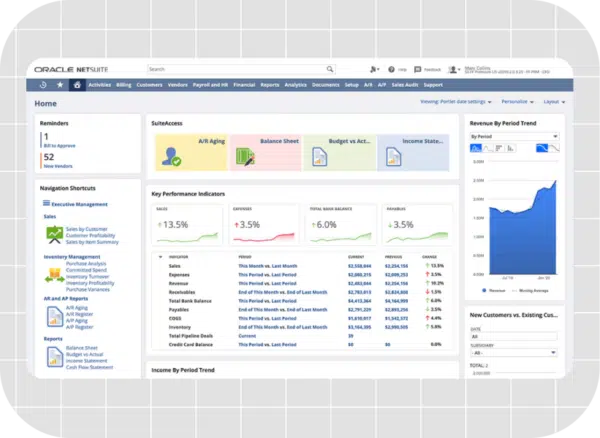
Pre-Migration
- Stakeholder alignment
- Data audit and clean-up
During Migration
- Choose tools/partners
- Map and test workflows
Post-Migration
- Run parallel testing
- Validate reconciliation
- Plan for additional end-user training and support
Select tools and partners for the data migration process, ERP implementation, and integration with third-party software. Your business may consider using Boomi, Celigo, or other iPaaS (Integration Platform as a Service) providers for data transfer during the migration process. Although Boomi and Celigo are outstanding tools for integration, Celigo offers pre-built integrations that may better suit the needs and budgets of mid-market companies.
Preparing Your Data and Workflows for a Smooth NetSuite Migration
As part of the pre-migration and migration process, ensure your company cleans data, maps the cleansed data to corresponding fields in your old and new systems, and tests accounts payable workflows to integrate into your NetSuite ERP migration. As part of your data migration strategy, start early and allocate sufficient time to data cleansing, structuring, data mapping, and preparation, as these are time-consuming processes.
Businesses moving from small-business accounting software to NetSuite may need to restructure legacy data, such as charts of accounts with sub-account numbers, to properly categorize transactions by department, product, or other dimensions.
If your team is working from spreadsheets, this data may need to be migrated using ETL (extract, transform, load) processes to meet NetSuite’s formatting requirements. To ensure nothing is overlooked, obtain a detailed migration checklist from your consultants or NetSuite before beginning the transition.
Once your migration plan, data strategy, and workflow testing are in place, the next step is to ensure that the systems you connect to NetSuite can support multi-subsidiary accounting, global payments, and real-time reconciliation.
Get AP and Global Payments Right After NetSuite Go-Live
Learn how to automate AP and global payouts in the first 90 days after NetSuite go-live to eliminate bottlenecks, strengthen controls, and scale with confidence.
Choosing the Right Tools and Partners for NetSuite Migration
When choosing tools for your NetSuite environment migration, you can select native NetSuite import tools, third-party integrations, or solutions such as Celigo or Boomi. Celigo offers a purpose-built integration for NetSuite that includes its platform and pre-built integration apps. NetSuite contains a pre-built connector for Boomi’s intelligent iPaaS platform.
Both Celigo and Boomi have dashboards to help your company monitor the data migration process, including migration progress, error management, and analytics.
Native NetSuite import tools include:
- CSV Import Tool: for NetSuite account migration for smaller data volumes
- Import/Export API (SuiteTalk): for large dataset transfers and different formats not supported by the CSV Import Tool
- SuiteCloud Development Platform: for developing custom migration solutions for complex uses
When selecting implementation partners, look for solution providers with a large number of NetSuite clients and extensive experience in migrating to NetSuite. These NetSuite migration partners should attend SuiteWorld. Also, choose consultants with specific expertise in third-party NetSuite integration add-ons, such as AP automation and CRM.
For example, Tipalti has a certified NetSuite integration and provides real-time sync with NetSuite’s sub-ledgers, entities, and payment data. Tipalti has extensive experience integrating with NetSuite and helps reduce friction during ERP transitions.
Vendors onboard through Tipalti and are verified, then they create an account. Tipalti sends payments to active vendors that provide services or products to Acuity. Doctors no longer sign off on checks—approvals are simplified via email. Plus, I can see all our invoices appear in NetSuite.
Samantha Chi, Financial Controller, Acuity Eye Group
Your consultants should deliver a customized, phased migration plan with clear tasks, deadlines, and dependencies—built from prior successful NetSuite implementations.
Best Practices for NetSuite Data Migration
Migrating data into NetSuite is a complex, high-stakes process that requires careful planning, clean data structures, and rigorous testing. Following proven best practices helps reduce risk, avoid costly delays, and ensure your new NetSuite environment is accurate, secure, and ready to scale.
NetSuite data migration best practices include:
- Plan extensively: define project scope, goals, timelines, and success criteria.
- Assign data ownership: designate a migration team and set responsibilities and deadlines.
- Back up and select historical data: secure legacy data and determine how much history to migrate.
- Establish a rollback plan: prepare contingency procedures in case the migration fails or needs to be reversed.
- Document all data entities: map every object, field, and dataset required for migration.
- Prioritize critical datasets: focus on customers, vendors, sales orders, transactions, tax IDs, and other essential records.
- Cleanse and structure legacy data: normalize formats, fix inconsistencies, and ensure alignment with NetSuite’s requirements.
- Validate and test thoroughly: validate cleansed data, document custom fields and logic, perform sandbox testing/UAT, and track all issues to resolution.
- Train and support users: deliver comprehensive pre-launch training and provide ongoing help after go-live.
KPMG provides guidance on best practices for “Executing a successful data migration and cutover,” emphasizing the utmost importance of preparation and other steps to perform:
As part of the preparation process, “identify project resources early, select an experienced data owner, prepare a timeline and budget, identify all data entities and data sources, select the migration tool(s), and define and document acceptance criteria for validating extracted data.”
Avoiding Common Go-Live Mistakes
Even well-planned NetSuite migrations can run into issues at go-live if key steps are overlooked. Avoiding these common mistakes will help ensure a smooth transition and minimize operational disruption.
Your business needs to avoid these common go-live mistakes:
- Incomplete UAT (User Acceptance Testing): Every ERP process must be tested by functional users to ensure that data is accurate and transactions are properly recorded.
- Last-minute configuration changes: Additional changes can adversely affect NetSuite migration results.
- Not validating financial reports and AP automation workflows: Validating reports and AP automation workflows is essential.
- Inadequate training for finance/AP users: Every migration team member and end user (including finance and AP users) must be adequately trained for a smooth NetSuite implementation.
Thorough User Acceptance Testing before going live will help prevent downtime and disruptions to company operations after the system is in use.
Real-World Example: A Finance Team’s NetSuite Migration Story
Lucidworks is a Tipalti AP automation customer in the software industry that uses NetSuite as its ERP. When they implemented Tipalti, Lucidworks transitioned from a manual to an automated accounts payable system, enhancing global payments in multiple currencies and reducing the monthly close time by 50%.
Once Tipalti approves an invoice, it syncs over to NetSuite. Then we pay the bill on our account, which auto-syncs to NetSuite. This rapid process enables us to gain more efficiencies.
Andrew Jenks, Senior Accounting Manager, Lucidworks
Lucidworks’ experience highlights how tight integration between AP automation and NetSuite can streamline invoice processing and reduce close time.
In the video below, see how Tipalti’s AP automation integrates directly with NetSuite to automate invoice approvals, syncing, and payments in real time.
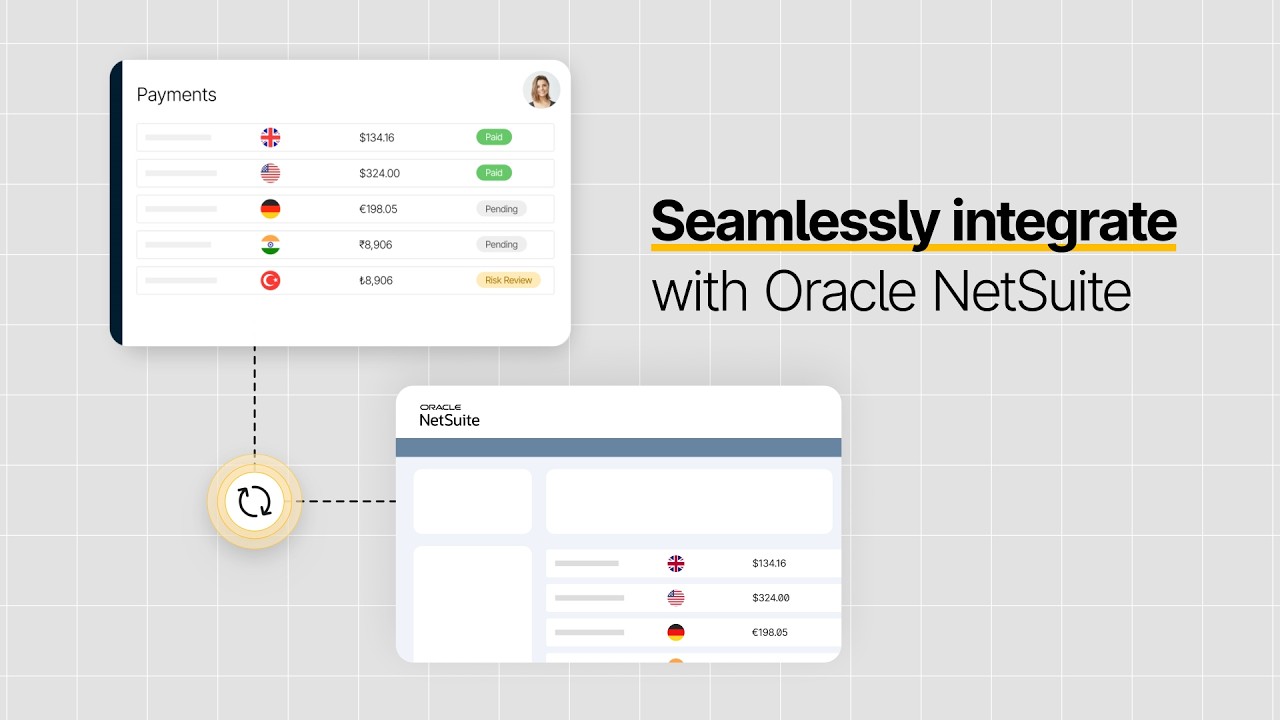
How Tipalti Streamlines NetSuite Migration
Tipalti is a NetSuite partner providing Built for NetSuite solutions. As a third-party NetSuite integration, Tipalti AP automation is a SuiteApp of the Year winner. Tipalti provides a certified NetSuite ERP integration to deliver the security, high performance, and reliability your business needs.
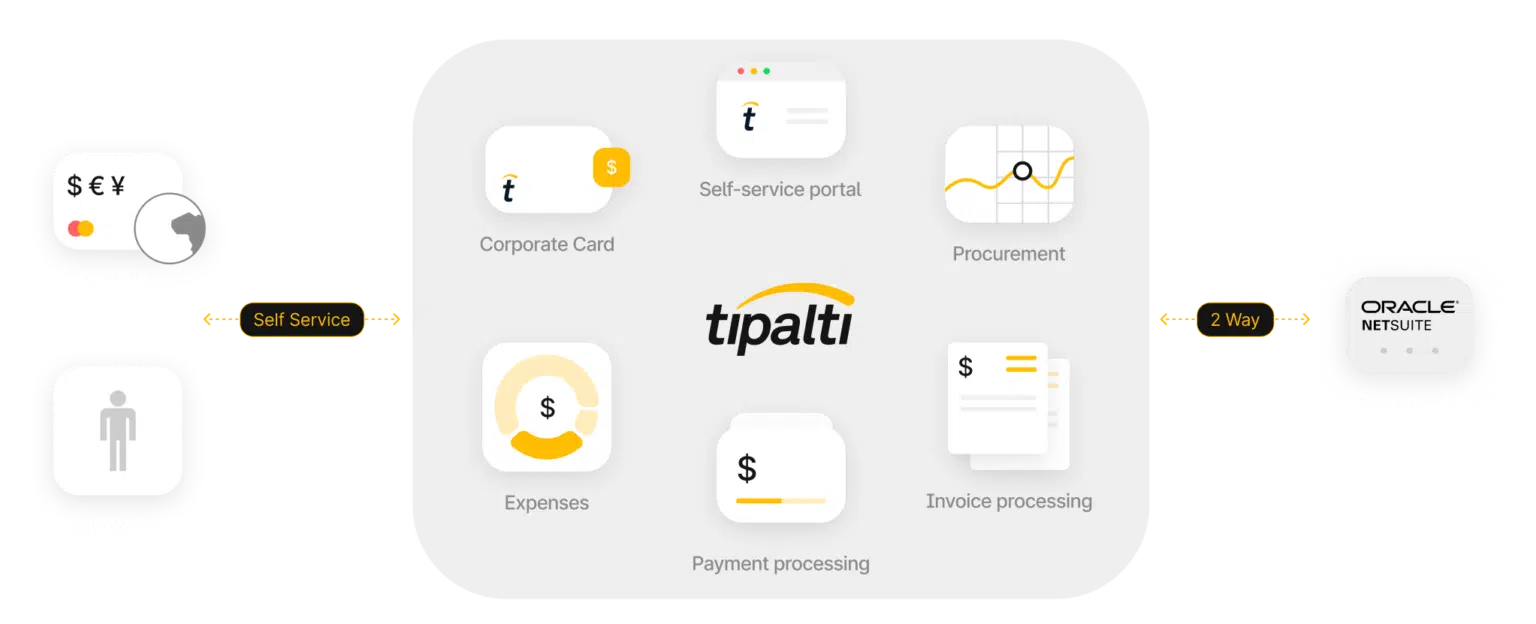
Tipalti offers a white-labeled, self-service onboarding portal that streamlines supplier and payee setup by collecting upfront tax forms and providing automated payment status updates. Its KPMG-approved tax engine simplifies tax compliance, while built-in global regulatory compliance ensures every payment meets international requirements. Tipalti also operates as a licensed money services business.
Tipalti integrations optimize the user experience and maximize the return on investment you can expect from your NetSuite ERP migration.
Important Tipalti features essential for ERP migration, testing, and use include:
- Real-time sync to NetSuite sub-ledgers
- Instant automated payment reconciliation
- Support for multi-subsidiary, FX, tax ID validation, and global AP compliance
- No-code invoice approval routing, PO matching, and supplier onboarding
Tipalti uses AI technology, including AI agents and the Tipalti AI Assistant, to:
- Automate workflows
- Perform transaction auto-coding
- Provide dashboards with metrics
- Generate real-time, custom analysis reports via conversational AI prompts.
- Reduce payee fraud risk with its optional Tipalti Detect feature
Eliminate Post-Migration Bottlenecks with AP Automation
Streamline your NetSuite migration with automated AP and global payment workflows that improve accuracy, reduce manual work, and support long-term scalability.
NetSuite Migration FAQs
What’s new in NetSuite 2025 release 2?
NetSuite 2025 release 2 embeds AI, adding new features for:
• NetSuite Compliance 360 for audit preparation
• Contextual Insights in NetSuite Analytics Warehouse for comparative insights Uses text and visualizations
• Multivariate Predictions with machine learning in NetSuite Planning and Budgeting
• Job Analytics Insights in NetSuite Close Management and Consolidation, using generative AI (GenAI) for error resolution
How long does a NetSuite migration take?
The time required for a NetSuite migration varies depending on the size and complexity of the business’s operations. A global, multi-subsidiary, mid-market company’s NetSuite implementation time can range from 6 months to over 1 year, with 1 to 2 years being the expectation.
What data should I migrate to NetSuite?
Migrate historical transaction data for a period that is relevant to your business. The more historical information you include, the higher the possibility of an ERP system slowdown. Back up any historical data not migrated to NetSuite to retain this data. Also, migrate clean master files for vendor information, customer information, suppliers, product information, etc.
What are the best tools for NetSuite data migration?
Best tools for NetSuite data migration include Celigo and Boomi. Celigo, with its free Data Loader, offers an iPaaS solution with pre-built integrations, low-code, and AI-powered automation. Boomi offers ETL, pre-built connectors, a drag-and-drop user interface, low-code capabilities, and hybrid integration solutions. For simpler integrations with less data, NetSuite offers a CSV Import Tool.
Can Tipalti be implemented during or after ERP migration?
Tipalti finance automation software can be implemented either during the ERP migration process or at a later date if your fast-growing business has already implemented NetSuite and is an experienced NetSuite user. Tipalti uses a certified NetSuite ERP integration.