

If your business hires contractors or works with vendors in the US or abroad, it’s important to understand what backup withholding is and how it applies to your business.
In this guide, we define backup withholding, explain the IRS rules that govern it, outline the consequences of noncompliance, and outline the steps finance managers can take to avoid it.
Key Takeaways
- Backup withholding is a compliance safeguard the IRS uses when a payee’s tax information is missing, incorrect, or not properly certified.
- Vendor onboarding quality directly impacts tax risk, since missing W-9/W-8 forms and invalid TINs can trigger unnecessary withholding and rework.
- Backup withholding can strain vendor relationships and cash flow, especially when payees receive reduced payments unexpectedly.
- A single payee data issue can create year-end reporting problems, including corrections, delays, and increased exposure to 1099-related penalties.
- TIN validation and consistent documentation controls help reduce errors before payments are issued and improve audit readiness.
- Clear ownership across AP, tax, and finance teams is critical to prevent breakdowns in tax form collection, verification, and recordkeeping.
- Automation helps scale compliance by streamlining tax form collection, validating payee data, reducing manual checks, and supporting accurate year-end reporting.
What is Backup Withholding?
Backup withholding is a type of U.S. federal non-payroll income tax that the Internal Revenue Service (IRS) requires payers to deduct when their payee fails to provide a valid tax identification number (TIN).
TIN includes:
- Employer Identification Number (EIN)
- Social Security Number (SSN)
- Individual Taxpayer Identification Number (ITIN)
Both US residents and non-resident payees receiving different types of payments are subject to backup withholding.
Payers report backup withholding amounts on 1099 forms for each payee and submit amounts deducted for backup withholding to the IRS.
When payees file their tax returns, the tax amount reduces as they have already paid the backup withholding amounts. They may also be eligible for tax refunds.
Tax treaties can reduce or exempt amounts of required backup withholding for foreign persons.
Understanding the Federal Backup Withholding Rate in 2026
Backup withholding is generally 24% for certain U.S. reportable payments when a payee fails to provide a valid taxpayer identification number (TIN). Certain U.S.-source payments to foreign persons may be subject to 30% withholding, unless a reduced rate applies under IRS rules or an income tax treaty.
When Does Federal Backup Withholding Apply?
Backup withholding applies when payees:
- Fail to provide a valid TIN
- Don’t provide the TIN in time
- Underreport income on their federal tax return
- Incorrectly claim they’re exempt from backup withholding
Corporations are generally exempt from backup withholding if you are paying interest or dividends. However, if the payments relate to legal or medical services provided by corporations, they are also subject to backup withholding.
Here’s a simple checklist to help you determine whether a payee is subject to backup withholding.
Backup Withholding Checklist
Use this checklist to quickly assess if a payee is subject to backup withholding
| Yes | No | ||
|---|---|---|---|
| 01 | Has the payee provided a completed and signed Form W-9? | ☐ | ☐ |
| 02 | Is the TIN valid and matched with IRS records (TIN matching completed)? | ☐ | ☐ |
| 03 | Has the payee certified they are not subject to backup withholding on the W-9? | ☐ | ☐ |
| 04 | Is the payee a foreign person, a government entity, tax-exempt organization, or international organization? | ☐ | ☐ |
| 05 | Is the payee a corporation (C-Corp or S-Corp) receiving interest and dividends? | ☐ | ☐ |
| 06 | Is the payee a corporation receiving attorneys’ fees or payments for medical or health care services? | ☐ | ☐ |
- If you answered “Yes” to Questions 1, 2, 3, 4, and 5 → the payee is not subject to backup withholding
- If you answered “Yes” to Question 6 or “No” to Questions 1 through 5 → you must withhold at 24%
How Can Payees Avoid Backup Withholding?
US residents or citizens can avoid backup withholding by providing a valid TIN and accurately reporting their income on their tax returns.
Foreign individuals must provide Form W-8BEN to certify their foreign status and, where applicable, claim a reduced treaty rate. If their country of origin has a tax treaty with the US, they can claim the tax treaty benefits or exemption on Part II of the form.
Foreign businesses use Form W-8BEN-E to report their US source income and provide information, such as the business’s FATCA (Foreign Account Tax Compliance Act) status, and US ownership, if any.
They can claim tax treaty benefits on Part III of Form W-8BEN-E.
Automated Tax Compliance, Built Into Every Payment
Tipalti’s KPMG-approved tax engine automates global tax compliance, helping you reduce risk, lower costs, and stay audit-ready as you scale.
What Types of Payments are Subject to Backup Withholding?
The IRS lists the types of payments reported on Form 1099 that are subject to backup withholding:
- Commissions, fees, or other payments for work done as an independent contractor
- Interest payments and dividends
- Payment card and third-party network transactions
- Rents, profits, or other gains
- Barter exchanges
- Patronage dividends
- Payment by broker
- Payments by fishing boat operators, but only the part that is paid in actual money, and that represents a share of the proceeds of the catch
- Royalty payments
- Gambling winnings
- Taxable grants
- Agriculture payments
Backup withholding at a rate of 30% also applies to foreign persons (non-resident aliens) if they receive these types of income reported on Form W-8BEN from US sources:
- Interest (including certain original issue discount (OID));
- Dividends;
- Rents;
- Royalties;
- Premiums;
- Annuities;
- Compensation for, or in expectation of, services performed;
- Substitute payments in a securities lending transaction; or
- Other fixed or determinable annual or periodical gains, profits, or income.
Withholding on foreign payees (Chapter 3 and Chapter 4, not backup withholding)
Payments to foreign payees can be subject to separate 30% withholding regimes that are distinct from backup withholding.
Chapter 4 withholding requires a withholding agent to withhold 30% on payments made to a Foreign Financial Institution (FFI) unless the FFI is a participating FFI, deemed-compliant FFI, or exempt beneficial owner.
According to the IRS, “Chapter 4 withholding also applies to withholdable payments made to an entity that is a passive non-financial foreign entity (NFFE) that fails to identify its substantial U.S. owners (or to certify that it does not have any substantial U.S. owners).”
Pro Tip: W-9 and 1099 serve different purposes; knowing when to use each helps you stay IRS-compliant.Read about the differences here: IRS Forms W-9 vs.1099: Understanding the Differences and When to Use Them
Which Payment Types are Excluded from Backup Withholding?
According to the IRS, some payment types are excluded from backup withholding.
- Real estate transactions
- Foreclosures and abandonments
- Cancelled debts
- Distributions from Archer MSAs
- Long-term care benefits
- Distributions from any retirement account
- Distributions from an employee stock ownership plan
- Fish purchases for cash
- Unemployment compensation
- State or local income tax refunds
- Qualified tuition program earnings
How Can Payors Avoid Backup Withholding?
While obtaining the correct TIN from vendors can help stop backup withholding, there are other steps you can take to minimize the risk of backup withholding and penalties related to errors or delays in 1099 filing.
The following table summarizes the triggers for backup withholding and the preventive measures payers can take.
| Triggers for backup withholding | Prevention strategies |
|---|---|
| Missing TIN | Implement a policy to mandate the digital collection of a completed and signed W-9 form during vendor onboarding. Check if the payee’s TIN was on file but was omitted from the Form 1099. Rectify any omissions in your records for future filings. |
| Incorrect TIN | Use the IRS TIN Matching tool to verify if the TIN and name combination matches the IRS database before filling out a 1099 form. |
| Payee refuses or fails to certify the accuracy of TIN under penalties of perjury | Mandating the completion of Form W-9 before formalizing the contract or agreement with vendors. |
| Foreign payee (non-resident alien) not submitting Form W-8BEN | Include the requirement of completing and submitting a W-8BEN in the contract. |
Obtain Certified W-9s’
Obtaining a completed and signed W-9 Form from your suppliers is the key to avoiding backup withholding.
Here are some best practices that you can follow when requesting your vendors to provide certified W-9s:
- Establish policies and protocols: Draw up detailed policies and protocols related to:
- Identifying the payments that are subject to backup withholding
- Requiring vendors to submit a completed and signed W-9 form at the onboarding stage before commencing work.
- Providing secure channels for customers to send W-9 forms
- Establishing procedures for validating payees’ tax ID and other tax information
- Provide Form W-9 to suppliers at the onboarding stage: At the onboarding stage, provide a copy of the W-9 form to your payees. You can find the latest version of W-9 on the IRS website.
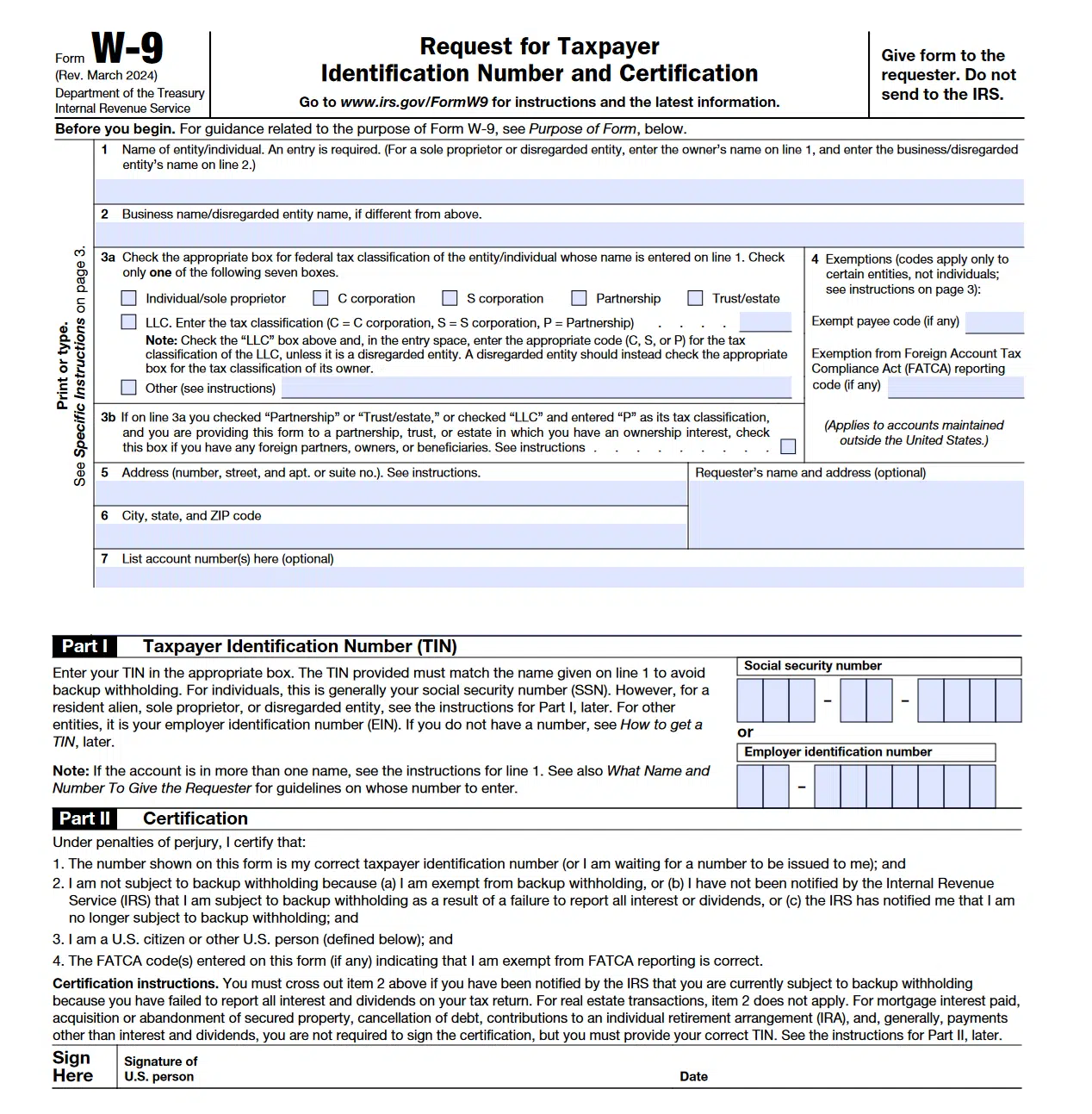
Explain the reason behind requesting the W-9 form, as the suppliers are required to provide sensitive information, such as EIN or SSN.
Note that you must obtain a TIN from a payee even for a “one-time” transaction to avoid IRS penalties.
- Ensure digital collection of W-9s: While vendors can submit the W-9 as a printed copy, there’s a risk of misplacing or losing the documents. The IRS allows the electronic submission of a W-9 when:
- Payors verify the accuracy of information
- Document all occasions of user access that result in the submission
- Make reasonably certain that the person accessing the system and submitting the form is the person identified on Form W-9
- Ensure the payee provides an electronic signature under penalties of perjury
Store W-9s in a Secure Location
Store the forms in a secure location, such as cloud storage, a document storage system, or a secure AP automation platform.
This allows AP teams to:
- Quickly access W‑9s to file 1099 forms
- Respond to B-notices and audits and provide proof of compliance
- Prevent alteration of forms and minimize errors when filing 1099s
- Track prior W-9 submissions and identify issues quickly
- Resolve issues before commencing backup withholding
- Meet IRS requirements of record retention for 3 years from the date you filed your original federal tax information return
Pro Tip: Automating W-9 collection is a proven way to enhance the AP team’s efficiency and stay compliant with tax regulations.
Learn more: Automate W-9 Collection and Validation for Vendor Compliance
Request a New W-9 Periodically
While you do not need to request a W‑9 annually, requesting an updated form periodically helps you avoid TIN and name mismatches.
Be sure to update your records in case the vendor has changed their name, location, business structure, or tax ID.
Verify Payee Tax IDs (TINs)
Verifying payees’ TINs is the key to avoiding backup withholding.
You can utilize the free TIN Matching Program offered by the IRS to verify payees’ tax IDs.
To access the tool, you must be listed in the PAF (Payer Account File) database. This database lists payers who have reported backup withholding by filing Forms 1099 or W-2G in the last two years.
The next step is to apply for the TIN matching program, and once approved, you can start verifying the tax IDs of payees by manually entering legal names and TIN combinations in groups of 25 or in bulk by uploading a .txt file.
Automate Compliance with Mass Payments Platforms
As mentioned in the previous step, AP staff must manually enter the legal names and TINs of payees to verify tax IDs using the IRS tool.
For businesses that work with hundreds to thousands of suppliers, manual processes for obtaining W-9s, verifying TINs, and documentation can be extremely resource-intensive and time-consuming.
This is where automation comes in.
Mass payments platforms with built-in tax compliance tools help eliminate error-prone manual tasks by automating W-9 collection and TIN verification.
In addition, these platforms ensure a clear audit trail by documenting user access at all touch points and enabling electronic submission and storage of tax forms.
[With Tipalti ], the amount of time we’ve saved is significant—it’s like cutting the workload by 80%. We’ve been able to focus on important finance work instead of chasing paperwork.
Scott Coplan, VP, Finance & Operations, Clean Beauty
How Tipalti’s Mass Payment Solution Helps Stay Compliant with Tax Regulations
Tipalti’s mass payment platform goes beyond enabling seamless payouts to multiple countries and currencies.
It features built-in tax compliance and payment fraud prevention tools that automate a wide range of tasks, from tax form collection and payee validation to tax prep and withholding calculation.
The following infographic depicts the best-in-class tax compliance automation workflow that ensures payee validation in real-time:

Guided Onboarding and W-9/W-8 Collection
Collecting the correct tax form during onboarding is key to minimizing the risk of backup withholding and penalties for delayed or inaccurate 1099 filings.
Tipalti’s KPMG-verified tax engine guides vendors on choosing the appropriate tax form (W-9 or W-8) via the self-service supplier management portal.
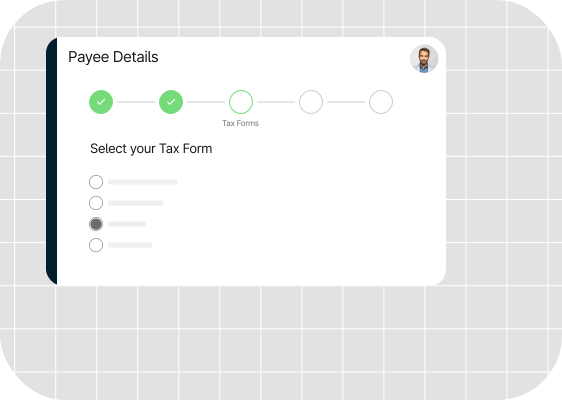
Tipalti guides vendors on choosing the correct tax form
Payee Validation and TIN Matching
With Tipalti, businesses can mandate tax ID submission during onboarding, regardless of the IRS’s $600 threshold.
As payees enter their data, Tipalti’s KPMG-verified tax solution validates the information in real-time against 3000+ global tax rules and regulations.
The platform automates the matching of Taxpayer Identification Numbers (TINs) against IRS databases by integrating with the IRS database and authorized e-filing platforms.
Businesses that work with non-US vendors can verify their local VAT IDs in over 60 countries with Tipalti.
This helps optimize data accuracy and mitigate the risk of backup withholding.

Tipalti validates local and global payee tax IDs
TIN Mismatch Notifications
AP teams receive instant alerts when the TIN is incorrect, missing, or there’s a mismatch.
Payees can take quick action to rectify the information and avoid backup withholding.
Audit Trail and Document Storage
Tipalti enables secure electronic storage of payee details, including TINs, legal names, and W-9/W-8 forms.
Centralized document storage allows AP staff to access W-9s quickly to prepare and file 1099 forms.
Moreover, by maintaining an audit trail, Tipalti meets the IRS requirement for payers to demonstrate “reasonable cause” to avoid penalties when TIN errors occur.
Users can access the audit trails of:
- W-9/W-8 collection and certification dates
- TIN matching results
- Solicitation attempts and updates
- Changes made to payee records over time
This documentation provides clear evidence that the payer “acted responsibly both before and after the failure to validate payees’ TIN.”
Automated Withholding Tax Calculations
Tipalti automates the calculation of applicable withholding tax rates, minimizing admin work and preventing calculation errors.
This boosts the accuracy of 1099 preparation and avoids delays in filing.
Tax Prep and E-filing
Tipalti generates tax preparation reports and supports e-filing of tax returns as mandated by the IRS.
Integrated Global Mass Payment System
Tipalti integrates tax compliance, accounts payable, procurement, and expense management with an advanced global mass payment solution.
The mass payment system enables users to stay compliant with IRS regulations, manage the entire procure-to-pay cycle, and make compliant payments to multiple countries in major currencies using diverse payment methods.
Tipalti’s database is updated regularly with all the latest regulatory requirements to ensure fraud prevention and regulatory compliance.

Fast-track compliant global payments with Tipalti
Tipalti’s end-to-end accounts payable and integration with IRS e-services allow the AP staff to avoid delays in TIN verification caused by e-service updates.
Key Considerations for Finance Managers
Tax compliance continues to feature among the top five compliance risk priorities for finance leaders, as evident in PwC’s Global Compliance Survey 2025.
The harsh fallouts of non-compliance can include:
- Hefty penalties: Failure to provide TINs can result in hefty penalties for corporations that can range from hundreds to millions of dollars.
- Impact on vendor relationships: Backup withholding can impact your vendor’s cash flow and potential future collaborations with your business.
Proactive tax compliance, particularly accurate W-9 collection, TIN matching, and 1099 filing, helps avoid penalties and strengthens vendor relationships.
It is well known that strong vendor relationships are key to reducing costs, improving operational efficiency, and supplier outcomes, all of which help you gain a competitive edge.
Tipalti’s new Tax1099 integration with Zenwork ensures end-to-end tax compliance, from digital W-9/W-8 collection and IRS-validated TIN matching to compliant recordkeeping and 1099 filing.
By reducing errors, ensuring clear audit trails, and preventing unnecessary backup withholding, Tipalti empowers finance managers to stay compliant while preserving vendor trust.
Prevent backup withholding and stay compliant with the latest tax regulations. Tipalti’s automated tax compliance software handles W-9 collection, TIN validation, and 1099 filing.
Backup Withholding FAQs
What is the current federal backup withholding tax rate?
Currently, the flat backup withholding rate is 24% of the reportable income.
How can businesses avoid IRS backup withholding for their vendors?
Here are the steps businesses can take to avoid IRS backup withholding for vendors:
1. Mandate vendors to submit a completed and signed W-9 form during onboarding
2. Enable electronic submission of the completed and signed W-9s
3. Verify the vendor’s TIN and legal name combination with the IRS database
4. Ensure records are accurate by periodically asking vendors to submit an updated W-9
5. Store W-9s and other documents in a secure cloud platform for easy access and error-free tax prep.
For more details, refer to the above section on “How to Avoid Backup Withholding.”
Am I subject to backup withholding?
If you’re a payee who receives 1099 forms (including 1099-NEC, Form 1099-MISC, Form 1099-Div, Form 1099-B, or Form 1099-K) from your payers and have not provided a valid TIN on your W-9 Form, you may be subject to backup withholding.
Foreign persons and entities are also subject to backup withholding of 30% for certain types of income they receive from US sources. They can claim a reduction or exemption if their country of origin has a tax treaty with the US.
What can payees do to avoid backup withholding?
If you are a vendor working with businesses, you can take these steps to avoid backup withholding:
• Provide the correct information: Ensure you provide the correct information to your payee, including ITIN, EIN, or SSN with a matching legal name
• Obtain TIN or SSN: If you do not have a TIN, fill out and submit the relevant form (Refer to the IRS webpage on “How do I get a TIN?”).
• Report income accurately: Report all taxable interest and dividend income. When the IRS notifies you of underreported interest or income, resolve the issue and pay any amount you owe.
• File any missing tax return(s): If any past tax returns are due, visit ‘Prior year forms and instructions’ on IRS.gov to access the relevant prior forms.
• Update records: If your name and TIN/SSN combination listed on the B notice is not current or correct, update the relevant records with the IRS.
What does exempt from backup withholding mean?
Payees are exempt from backup withholding if they provide a valid TIN and their legal name and TIN match the IRS database. You’re also exempt from backup withholding if you have correctly reported your income on your tax returns.
Certain payment types, such as government payments, long-term care benefits, distributions from retirement accounts, and employee stock ownership plans, are also exempt from backup withholding.
